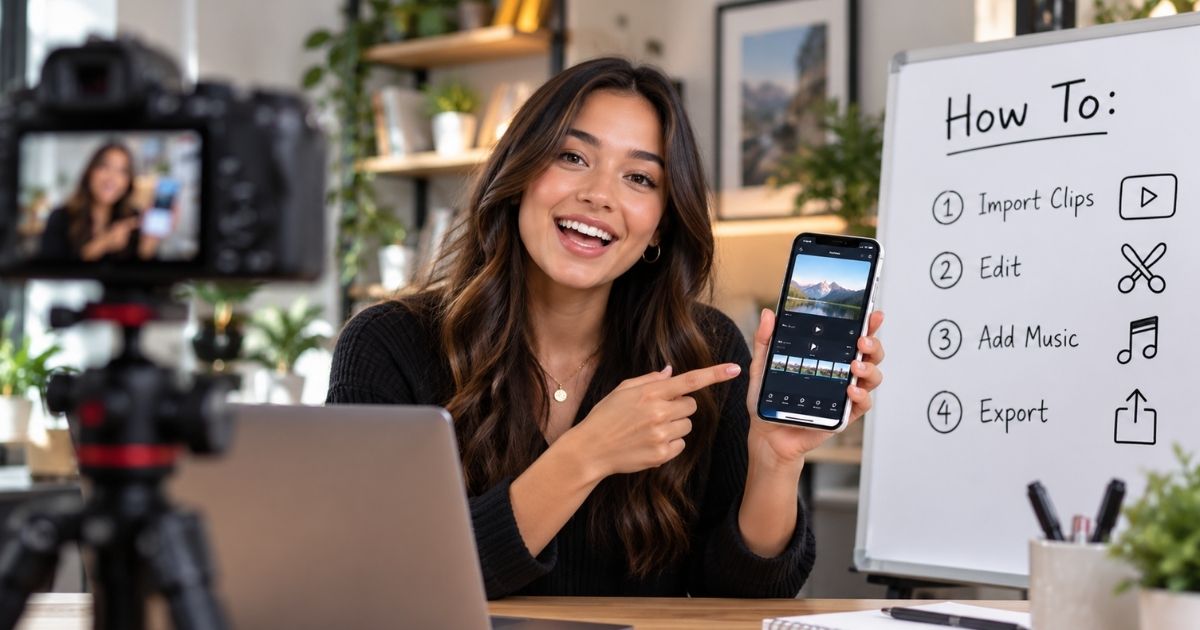
How-To Video Production helps B2B and DTC brands teach customers, employees, partners, and audiences how to complete a specific task, use a product, follow a process, or solve a common problem through clear step-by-step video. VID produces How-To Videos using presenters, subject-matter experts, screen recordings, product demonstrations, voiceover, animation, captions, graphics, and supporting B-roll, depending on what needs to be taught. How-To Videos can support product onboarding, help centers, YouTube, SEO, customer education, ecommerce, internal knowledge bases, sales enablement, social media, and post-purchase support. The goal is to make useful knowledge easier to understand, easier to find, and easier to apply without requiring someone from your team to explain the same thing repeatedly.
How-To Video Production
Create clear How-To Videos that teach customers, employees, and audiences how to complete tasks, use products, and solve problems. VID handles strategy, filming, editing, and delivery.
A How-To Video teaches the viewer how to do something.
That may include:
- How to use a product
- How to complete a workflow
- How to set up software
- How to install equipment
- How to configure an account
- How to solve a common problem
- How to perform a process
- How to get a specific result
Unlike broader educational content, a How-To Video is usually built around a clear task and a practical outcome.
Best For
How-To Video Production is especially useful for:
- B2B SaaS
- Technology companies
- DTC brands
- Ecommerce
- Consumer products
- Software products
- Mobile apps
- Hardware
- Manufacturing
- Healthcare
- Customer success teams
- Product teams
- Support teams
- Learning and Development teams
- Companies with recurring customer questions
How-To Video Production Process
Task Selection
Identify the specific task the viewer should be able to complete after watching.
Audience Definition
Determine:
- Who is watching
- What they already know
- What tools or products they have
- Where they are most likely to get stuck
Step Mapping
Break the process into a clear sequence.
Avoid combining several unrelated tasks into one video when separate videos would be easier to follow.
Script or Instruction Outline
Develop:
- Steps
- Narration
- Talking points
- Screen actions
- Demonstrations
- Visual callouts
Production
Capture the right combination of:
- Presenter
- Product demonstration
- Screen recording
- Voiceover
- On-location footage
- Animation
- Close-up details
Post-Production
Add:
- Step numbers
- Captions
- Zooms
- Highlights
- Arrows
- Graphics
- Labels
- Chapters
- Supporting B-roll
Delivery
Prepare videos for:
- YouTube
- Help center
- Knowledge base
- Product pages
- LMS
- Customer portal
- Internal portal
- Social media
How-To Video for SaaS and Software
Software How-To Videos can reduce the amount of product knowledge customers need to learn through support or live training.
Useful topics include:
- Setup
- Account configuration
- Core workflows
- Integrations
- Permissions
- Reporting
- Automation
- Advanced features
- Troubleshooting
Screen recordings can be combined with:
- Narration
- Presenter video
- Cursor highlights
- Zooms
- Motion graphics
- On-screen instructions
How-To Video for DTC and E-commerce
DTC brands can use How-To Video after purchase to improve the customer experience.
Examples include:
- Product setup
- Assembly
- Styling
- Application
- Cleaning
- Maintenance
- Recipes
- Best practices
- Troubleshooting
These videos can live on product pages, post-purchase emails, QR-code landing pages, and help centers.
How-To Video for Customer Onboarding
Customer onboarding often contains many individual tasks.
A How-To library can include:
- Create your account
- Invite your team
- Configure your workspace
- Connect an integration
- Complete your first workflow
- Set up reporting
- Use advanced features
Breaking onboarding into task-specific videos allows customers to watch only what they need.
How-To Video for Customer Support
How-To Videos can become a self-service layer in the support experience.
Support teams can send a specific video instead of rewriting the same instructions repeatedly.
Common support topics might include:
- Resetting settings
- Updating information
- Fixing common errors
- Changing permissions
- Installing updates
- Troubleshooting equipment
This can also create a more consistent customer experience.
How-To Video for SEO and YouTube
How-To searches often represent clear intent.
People search for questions such as:
- How do I use ___?
- How do I set up ___?
- How do I fix ___?
- How do I connect ___?
- How do I create ___?
- How do I improve ___?
Creating genuinely useful instructional videos around these searches can help companies build a library of evergreen educational content.
How-To Video for Internal Processes
How-To Video can also document internal work.
Examples include:
- How to submit an expense
- How to update the CRM
- How to publish content
- How to onboard a customer
- How to create a report
- How to use internal software
This reduces reliance on tribal knowledge and repeated explanations.
How-To Video vs. Tutorial Video
The terms overlap heavily.
A How-To Video is usually framed around a question or task:
“How do I do this?”
A Tutorial Video may be more structured or comprehensive and can teach several related steps or concepts.
For SEO and buyer-facing content, How-To Video can be especially useful because it mirrors how people naturally search for instructional help.
How-To Video vs. Training Video
A Training Video may teach broader skills, policies, roles, or competencies.
A How-To Video is more narrowly focused on completing a specific action.
For example:
Training Video: How the sales process works.
How-To Video: How to create an opportunity in the CRM.
How-To Video vs. Product Demo Video
A Product Demo Video shows how a product works and why its capabilities matter.
A How-To Video teaches the viewer how to perform a specific task with the product.
Demo:
“Here is what the platform can do.”
How-To:
“Here is exactly how to do it.”
How-To Video vs. Educational Video
An Educational Video can teach a broad idea, principle, or concept.
A How-To Video is usually action-oriented.
The viewer should be able to do something specific after watching.
How-To Video vs. Explainer Video
An Explainer Video answers:
“What is this and how does it work?”
A How-To Video answers:
“How do I do this?”
Explainers build understanding.
How-To Videos guide action.
Search-Driven How-To Content
How-To Video can become part of a search-led content strategy.
Topics can come from:
- Google searches
- YouTube searches
- Customer support tickets
- Sales questions
- Product analytics
- Help-center searches
- Community questions
- Customer success conversations
The best topics often come directly from questions people are already asking.
Modular How-To Video Library
A searchable How-To library works best when each video focuses on one primary task.
Instead of:
“Complete Guide to Our Platform”
create:
- How to Create an Account
- How to Invite a User
- How to Build a Report
- How to Connect an Integration
- How to Export Data
This makes the content easier to find, update, share, and reuse.
Screen Recording for How-To Video
Screen recording works especially well for:
- Software
- SaaS
- Apps
- Websites
- Internal tools
- Digital workflows
VID can improve clarity with:
- Cursor emphasis
- Zoomed interface sections
- Highlight boxes
- Step labels
- Graphics
- Voiceover
Presenter-Led How-To Video
A presenter can make instructional content more personal and easier to follow.
The presenter may be:
- Employee
- Product expert
- Customer success manager
- Creator
- Professional spokesperson
- Subject-matter expert
Presenter footage can be combined with close-ups, demonstrations, or screen capture.
How-To Video for Physical Products
Physical product How-To Videos can use:
- Wide demonstration shots
- Close-ups
- Overhead cameras
- Step graphics
- Product labels
- Slow motion
- Voiceover
- On-camera instruction
Clear visual coverage is especially important when the viewer needs to replicate a physical action.
Updating How-To Videos
Instructional content may need updating when:
- Product interfaces change
- Features change
- Processes change
- Packaging changes
- Policies change
- Equipment changes
Modular videos make these updates easier because one lesson can be replaced without recreating an entire course.
Multi-Language How-To Video
How-To Videos can be localized through:
- Subtitles
- Dubbing
- Voiceover
- Translated graphics
- Alternate presenters
- Localized screen recordings
This can help global customers or employees use the same knowledge base.
How-To Video Repurposing
One How-To production can create:
- Full How-To Video
- Help Center Video
- Product Tutorial
- Short-Form Instructional Clips
- Customer Onboarding Content
- Sales Support Video
- Social Content
- Product Page Video
- Knowledge Base Content
- Training Module
- FAQ Video
- Email Support Content
Measuring How-To Video Performance
Useful metrics may include:
- Views
- Search traffic
- Watch time
- Completion rate
- Help-center engagement
- Support tickets
- Support resolution time
- Product adoption
- Feature usage
- Onboarding completion
- Customer satisfaction
- Search rankings
- Customer retention
The strongest metric depends on the purpose of the video.
When & Where You Can Use This Format
Use How-To Video Production when people repeatedly need help completing a specific task.
It is especially useful when:
- Customers ask the same questions repeatedly — Turn common support questions into reusable video answers.
- Your product has a learning curve — Show people exactly how to get started.
- You are onboarding new customers — Create clear walkthroughs for setup, configuration, and first-use workflows.
- Your product has multiple features — Build individual How-To Videos around specific actions.
- You want to reduce support volume — Give customers a self-service resource before they submit a ticket.
- You need stronger help-center content — Pair written instructions with visual demonstrations.
- Your audience searches for instructional content — Create useful search-driven videos for YouTube and organic discovery.
- You sell a physical product — Show setup, assembly, installation, maintenance, or proper use.
- You need internal process documentation — Teach employees how to complete recurring tasks.
- You want to increase product adoption — Help users discover and successfully use more features.
"I've gained 18k subscribers in the last month [on YouTube]!"

"We have been partnered with multiple media companies over the years and so far VID has outdone them all! We’ve used them on over 20 projects so far and already have more in the works. Their pre-production process ensures a smooth shoot day, and they are consistently on time with the deliverables post-production. Anytime we have feedback or changes from the shoot, they are quick to offer a resolution or make edits. They’re also great for getting shot list ideas once they know the business and really helping craft the creative vision. Lots of talented people on this team, and a great value!!"

"Thank you for all the exceptional work on our video project. We’re confident that this final version is a powerful representation of our vision and will undoubtedly resonate with our intended audience. Your commitment to ensuring our complete satisfaction is greatly appreciated and we cannot wait to work together again in the future!"

“We just showed the video during our end of year all hands and everyone LOVED it. Thank you so much for all your work. This video is amazing and we look forward to working with both of you again in the new year.”
Examples Of This Format
- How to Get Started Video — Walk new users through the first steps after purchasing or signing up.
- How to Set Up an Account — Show account creation, configuration, permissions, and essential settings.
- How to Use a Product Feature — Teach one specific feature or workflow.
- How to Install a Product — Demonstrate physical installation step by step.
- How to Assemble a Product — Show customers how to put a physical product together correctly.
- How to Configure Software — Walk users through settings, integrations, or system setup.
- How to Complete a Workflow — Demonstrate a recurring process inside software or an internal system.
- How to Troubleshoot a Problem — Help viewers diagnose and resolve a common issue.
- How to Maintain a Product — Teach cleaning, maintenance, care, or routine upkeep.
- How to Integrate Two Platforms — Show the setup and workflow for a software integration.
- How to Use an App — Explain a mobile workflow with screen capture and narration.
- How to Order or Purchase — Walk customers through a complex ecommerce or ordering process.
- How to Submit a Request — Teach users how to complete a form, application, support request, or internal process.
- How to Use Equipment Safely — Demonstrate proper operating procedures.
- How to Achieve a Result — Teach a process built around a desired customer outcome rather than one product feature.
Commonly Asked Questions
What Is a How-To Video?
A How-To Video teaches the viewer how to complete a specific task or achieve a particular result.
It typically uses step-by-step instructions supported by visual demonstration.
What Types of How-To Videos Can VID Produce?
VID can produce:
- Product How-To Videos
- Software How-To Videos
- App Tutorials
- Installation Videos
- Setup Videos
- Assembly Videos
- Process Videos
- Troubleshooting Videos
- Maintenance Videos
- Customer Onboarding Videos
- Internal Process Videos
How Long Should a How-To Video Be?
The video should be as long as necessary to teach the task clearly.
A simple task may take less than a minute.
A more complex workflow may require several minutes.
Longer processes can be divided into separate videos.
Should Each How-To Video Cover One Task?
Usually, yes.
Focused videos are easier to:
- Search
- Understand
- Share
- Update
- Rewatch
Related tasks can then be organized into a larger playlist or learning path.
Can VID Create How-To Videos From Existing Documentation?
Yes.
VID can use existing:
- SOPs
- Help articles
- Manuals
- Training documents
- Product documentation
- Screen recordings
- Subject-matter expert knowledge
as source material for video development.
Does VID Write How-To Video Scripts?
Yes.
VID can turn process documentation and subject-matter expertise into clear spoken instructions, scripts, outlines, or demonstration plans.
Can How-To Videos Include Screen Recordings?
Yes.
Screen recording is one of the most common formats for software and digital-product How-To Videos.
Can How-To Videos Include Live Demonstrations?
Yes.
VID can film:
- Product setup
- Equipment use
- Assembly
- Installation
- Physical processes
- Maintenance
- Real-world workflows
Can How-To Videos Reduce Support Tickets?
They can help customers resolve common questions independently and give support teams a reusable resource to share.
Can How-To Videos Improve Product Adoption?
They can help customers discover features, complete important workflows, and reach value faster.
Are How-To Videos Good for YouTube?
Yes.
Instructional searches are common on YouTube, making How-To Video a strong format for evergreen educational discovery.
Can How-To Videos Be Used in a Help Center?
Yes.
How-To Videos can complement written documentation inside:
- Help centers
- Knowledge bases
- Customer portals
- FAQs
- Product academies
Can How-To Videos Be Used for Employee Training?
Yes.
They are especially useful for documenting individual internal tasks and workflows.
Can How-To Videos Be Localized?
Yes.
VID can prepare content for multiple languages through subtitles, voiceover, dubbing, translated graphics, or alternate recordings.
Can One How-To Production Create a Full Library?
Yes.
A larger production can capture multiple related tasks and build a complete instructional library.
Can How-To Video Production Be Part of VID Operate?
Yes.
How-To Video works well through VID Operate when products, processes, features, and customer questions continuously change.
For a defined instructional series, help-center library, or product How-To project, production can be scoped through VID Project.
What Makes a Strong How-To Video?
A strong How-To Video is easy to follow and focused on the viewer's task.
It should:
- Start with a clear outcome
- Show every important step
- Remove unnecessary explanation
- Make actions visually obvious
- Use plain language
- Anticipate likely mistakes
- Help the viewer know when they have completed the task correctly
The goal is simple:
Someone should be able to watch the video and successfully do the thing.
VID for
How-To Video
Show viewers exactly how to complete a task, use a product, or solve a problem through clear step-by-step video.