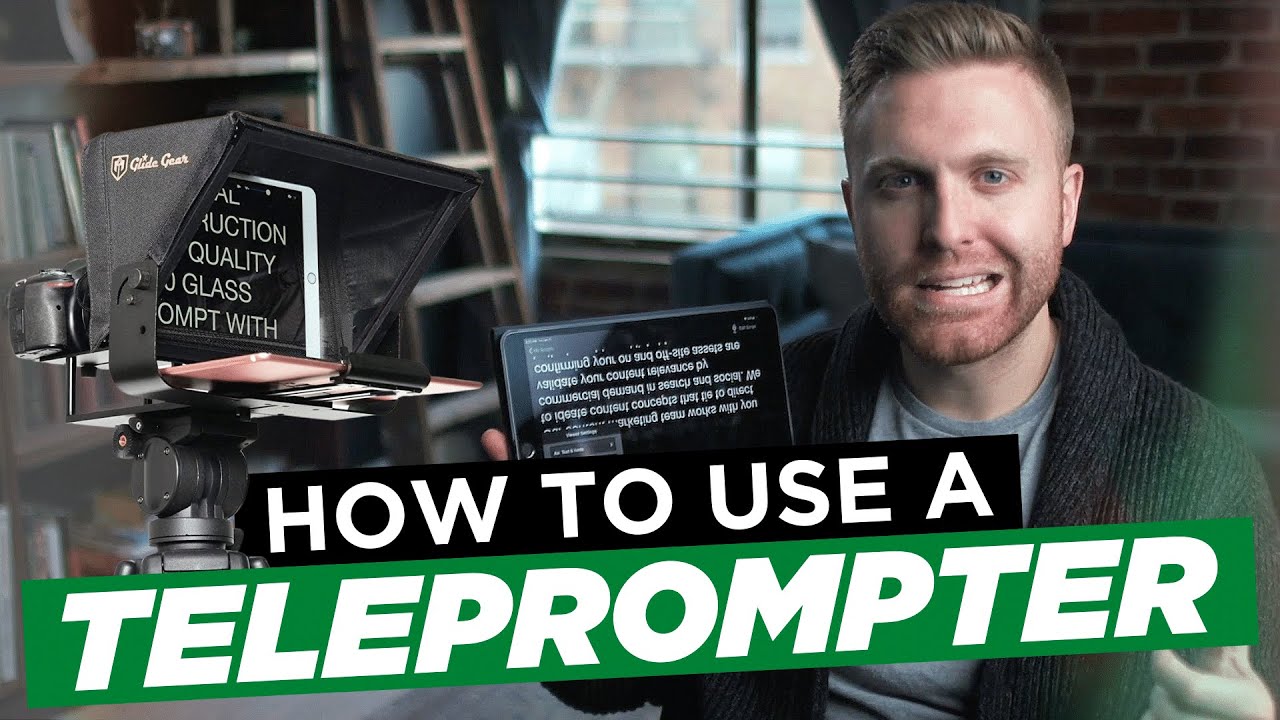

The teleprompter is the most misunderstood tool in on-camera video production. Most people who have never used one assume it is a crutch — a tool for presenters who cannot remember their lines. Most people who have used one badly assume it is a trap — a tool that makes scripted delivery sound robotic, look stiff, and feel immediately fake to any viewer who watches the result.
Both assumptions are wrong. A teleprompter used correctly is the tool that makes a precisely scripted video possible — delivering the exact hook language, the exact reframe, and the exact CTA that the script requires, in the exact order the persuasion arc demands, without the cognitive load of memorization consuming the mental bandwidth the presenter needs for delivery quality. The teleprompter does not make delivery worse. Poor teleprompter technique makes delivery worse. And poor teleprompter technique is almost entirely a setup and calibration problem — not a talent problem.
In this video, Dallin Nead walks through the complete teleprompter workflow — from hardware and software options through setup, calibration, and the specific delivery techniques that make teleprompter-read video feel conversational, confident, and natural rather than scripted and performed.
What this video covers:
Teleprompter hardware options — what you actually need and what you do not
The teleprompter hardware landscape ranges from professional broadcast units that cost thousands of dollars to smartphone-based setups that cost under fifty. For most B2B marketing video applications — authority content, brand stories, product explainers, and executive communications — a smartphone teleprompter setup is sufficient to produce professional results. The specific hardware configurations that work for different filming setups, how to position the teleprompter device relative to the camera lens for the most natural eye contact, and the one hardware decision that makes the biggest difference in how natural the teleprompter-read delivery looks on camera.
Teleprompter software — the apps that work and how to configure them
The software side of teleprompter operation determines the scroll speed, the font size, the line spacing, and the mirror display settings that make the text readable at the filming distance without requiring the presenter to strain to see the words. BigVu, PromptSmart, and Teleprompter Premium are the three applications most commonly used for smartphone-based teleprompter setups — the specific settings configuration for each, how to use a second device as a remote control for scroll speed adjustment without interrupting the filming session, and the font size and line spacing calibration that makes the text readable at every filming distance without the presenter's eyes visibly moving across the screen.
Script preparation for teleprompter delivery — how to write to be spoken, not read
The most common teleprompter delivery failure is not a technique problem. It is a script problem. Scripts written for reading — with complex sentence structures, formal vocabulary, and written language conventions — produce robotic teleprompter delivery because they are not written in the language the presenter would actually speak. Scripts written for speaking — with shorter sentences, contractions, conversational connectors, and the natural pauses and rhythms of spoken language — produce natural teleprompter delivery because the presenter is reading text that sounds like something they would actually say. The specific script preparation techniques that convert a written script into a teleprompter-ready speaking script — including the sentence length rules, the punctuation conventions, and the emphasis marking system that gives the presenter delivery guidance built into the script itself.
Scroll speed calibration — the setup decision that determines everything
Scroll speed is the single most important teleprompter configuration decision — and the one most commonly set incorrectly. A scroll speed that moves faster than the presenter's natural speaking pace produces the rushed, slightly panicked delivery quality that most viewers associate with bad teleprompter use. A scroll speed that moves slower than the presenter's natural speaking pace produces the halting, over-deliberate delivery quality that makes every pause feel like the presenter has lost their place. The specific calibration process for finding the scroll speed that matches the presenter's natural speaking rhythm — including how to run a calibration session before every filming day rather than using a fixed speed setting that may not match the presenter's pace on that specific day.
Eye contact and lens positioning — why this is the teleprompter decision that viewers actually notice
The most common visual tell of teleprompter use is not the delivery quality. It is the eye position. A presenter whose eyes are positioned slightly off-axis from the camera lens — because the teleprompter device is positioned slightly to the side of, above, or below the lens rather than directly in front of it — produces a delivery that looks almost but not quite direct to camera. The specific lens-to-teleprompter positioning that produces genuine direct eye contact with the viewer, how to verify the eye position from the recorded footage rather than from behind the camera during filming, and the adjustment protocol for correcting off-axis eye position without moving the camera or the teleprompter hardware.
Delivery technique for teleprompter reading — the practices that make scripted feel natural
Teleprompter delivery is a specific skill that improves with practice and degrades with poor technique. The specific delivery techniques that make teleprompter-read video feel conversational — breathing at the punctuation marks rather than at the line breaks, varying the delivery pace within sentences rather than maintaining a constant reading speed, using the emphasis marks in the script to produce natural stress patterns rather than reading every word at equal weight, and the specific warm-up practice that prepares the presenter's voice and pacing before the filming session begins. The most common teleprompter delivery mistakes — rushing through the script to finish faster, maintaining a constant reading speed that produces a monotone delivery quality, and looking at the words rather than through the words to the viewer — and the specific corrections for each.
Teleprompter for remote and solo filming — adapting the setup for virtual production
Most teleprompter setups are designed for in-studio production with a dedicated camera operator who can monitor the presenter's eye position and delivery quality from behind the camera. Remote and solo filming — where the presenter is filming alone with no director in the room — requires a different setup approach. How to configure a teleprompter setup for solo filming, how to monitor eye position and delivery quality from a recording review rather than from a live director, and how to use the teleprompter setup in a virtual filming session where VID's director is providing real-time delivery coaching remotely.
Building the teleprompter into a repeatable filming standard
The teleprompter is most valuable when it is part of a documented, repeatable filming standard rather than a setup that is rebuilt from scratch every filming day. How to document the teleprompter configuration — hardware position, software settings, scroll speed, and lens alignment — into the one-page filming standard that every team member can follow to replicate the same result from any location, on any filming day, in under ten minutes from arriving at the filming setup.
Who this video is for:
Executives, founders, and marketing team members who produce scripted on-camera video and want to use a teleprompter to deliver their scripts with confidence and precision — without the robotic, obviously-scripted delivery quality that poor teleprompter technique produces. Any presenter who has tried a teleprompter and found the result worse than filming without one — and who wants to understand which specific setup and technique decisions produced the poor result and how to correct them. And any marketing team that is building an internal video production capability and wants the teleprompter workflow documented as part of the repeatable filming standard that every team member follows.