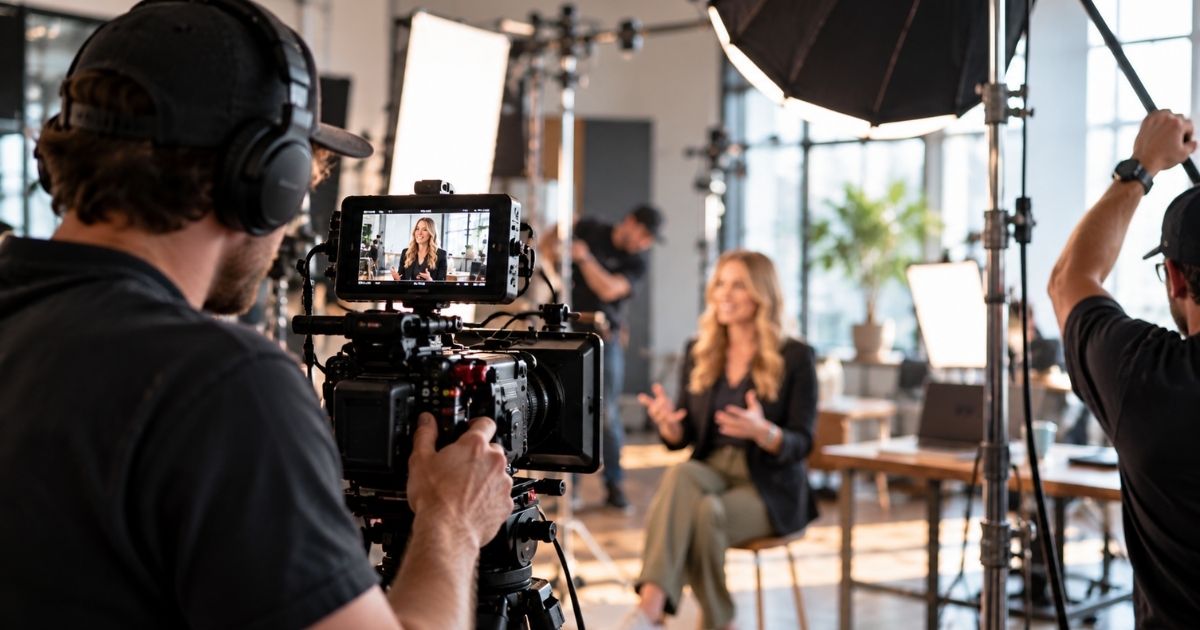
LinkedIn Video gives B2B companies a direct way to communicate with buyers, customers, partners, employees, and industry peers through a platform already built around professional conversation.
Useful LinkedIn Video formats include:
- Executive thought leadership
- Founder content
- Industry commentary
- Customer proof
- Product education
- Case study clips
- Company announcements
- Event content
- Recruiting content
- Behind-the-scenes
- Short-form education
- Webinar clips
- Podcast clips
The strongest LinkedIn Video programs are built around relevance and consistency rather than occasional polished posts.
Best For
LinkedIn Video Production is especially useful for:
- B2B SaaS
- Technology companies
- Professional services
- Healthcare and HealthTech
- Financial services
- Education companies
- Founder-led businesses
- Executive teams
- Product marketing
- Demand generation
- Sales leadership
- Customer marketing
- Recruiting
- Employer branding
- Companies selling through expertise and trust
LinkedIn Video Production Process
Audience Strategy
Identify who the content needs to reach.
That may include:
- CMOs
- Marketing leaders
- Founders
- Sales leaders
- Product leaders
- Customers
- Partners
- Candidates
- Industry peers
Content Pillars
Define recurring topics the company can credibly own.
Examples:
- Industry Education
- Buyer Problems
- Executive Perspective
- Product Education
- Customer Proof
- Company Point of View
Format Planning
Create recurring video formats instead of starting from scratch every week.
Topic Development
Topics can come from:
- Sales calls
- Customer questions
- Industry trends
- Product releases
- Research
- Webinars
- Events
- Executive expertise
Capture
Record:
- Remotely
- In-studio
- On location
- During executive content days
- At events
- During podcasts or webinars
Editing
VID can add:
- Captions
- Headline text
- B-roll
- Product screens
- Graphics
- Data
- Motion
- Branded elements
Versioning
Create alternate versions when content will also be used for:
- Paid LinkedIn campaigns
- YouTube Shorts
- Website
- Email
- Sales
Performance Review
Use engagement and downstream behavior to identify which ideas, speakers, and formats deserve more production.
LinkedIn Video for Executive Thought Leadership
LinkedIn is particularly strong for executive-led B2B content.
Executives can publish around:
- Market trends
- Buyer challenges
- Company beliefs
- Leadership
- Customer lessons
- Predictions
- Industry changes
- Product philosophy
The goal is not simply to make the executive visible.
It is to make their visibility useful.
LinkedIn Video for Founders
Founder-led LinkedIn Video can help connect the company to a recognizable human voice.
Useful topics include:
- Why the company exists
- Lessons from customers
- Company building
- Product decisions
- Market observations
- Mistakes
- Industry beliefs
- Behind-the-scenes updates
Founder content works best when it feels specific and grounded rather than overly polished or generic.
LinkedIn Video for Demand Generation
LinkedIn Video can support a broader demand-generation system.
A viewer might move from:
LinkedIn Video → Lead Magnet → Webinar → Strategy Call
or:
LinkedIn Video → Customer Story → Product Demo → Sales Conversation
The content should provide value on its own while creating natural opportunities for the audience to continue deeper into the customer journey.
LinkedIn Video for Product Marketing
Product marketing teams can use LinkedIn Video to communicate:
- New features
- Product launches
- Use cases
- Integrations
- Product comparisons
- Product philosophy
- Customer outcomes
Short videos can make product updates easier to understand without requiring buyers to read a long announcement.
LinkedIn Video for Customer Proof
Customer proof can be adapted into:
- Testimonial clips
- Customer Story excerpts
- Case study results
- Executive customer quotes
- Product use cases
- Before-and-after stories
These videos can be matched to specific industries, roles, and buyer problems.
LinkedIn Video for Sales
Sales teams can use LinkedIn Video indirectly by creating a stronger content environment around the company and directly by sharing specific videos with prospects.
Useful formats include:
- Customer proof
- Product education
- Executive POV
- Objection handling
- Industry commentary
- Webinar clips
This gives salespeople more useful content to send than repeated “just checking in” follow-ups.
LinkedIn Video for Account-Based Marketing
LinkedIn Video can support ABM through content tailored to:
- Industry
- Role
- Market problem
- Use case
- Account segment
Executive and product content can be distributed organically, through paid targeting, or directly by sales teams.
LinkedIn Video for Recruiting
LinkedIn can also support employer branding through:
- Employee stories
- Team introductions
- Company culture
- Leadership clips
- Day-in-the-life videos
- Recruiting announcements
- Company milestones
This helps potential candidates become familiar with the organization before applying.
Organic LinkedIn Video vs. LinkedIn Video Ads
Organic LinkedIn Video
Often prioritizes:
- Thought leadership
- Education
- Engagement
- Authority
- Customer proof
- Community
LinkedIn Video Ads
May prioritize:
- Lead generation
- Webinar registration
- Demo requests
- Retargeting
- Product awareness
- Campaign conversion
The same source material can sometimes support both, but paid versions usually need more deliberate hooks and CTAs.
LinkedIn Video vs. Social Media Video
Social Media Video is the broader category across platforms.
LinkedIn Video is specifically developed or adapted for a professional LinkedIn audience.
The content tends to place more emphasis on:
- Business insight
- Expertise
- Customer outcomes
- Industry relevance
- Professional credibility
LinkedIn Video vs. Short-Form Video
Short-Form Video describes the content format and runtime.
LinkedIn Video describes the distribution channel.
Many LinkedIn Videos are short-form, but LinkedIn can also support longer educational, interview, and event content.
LinkedIn Video vs. Thought Leadership Video
A Thought Leadership Video is defined by the idea being communicated.
A LinkedIn Video is defined by where it is distributed.
Thought leadership is one of the strongest formats for LinkedIn, but LinkedIn can also distribute:
- Product content
- Customer proof
- Recruiting
- Company news
- Events
LinkedIn Video vs. Executive Video
An Executive Video is defined by the speaker.
A LinkedIn Video is defined by the platform.
Executives are often effective on LinkedIn because personal profiles can provide a more direct connection to professional audiences.
Content Pillars for LinkedIn Video
A B2B LinkedIn Video system might use five recurring pillars:
Teach
Help buyers understand an important problem.
Lead
Share a strong executive point of view.
Show
Demonstrate the product or process.
Prove
Share customer results and evidence.
Humanize
Show people, culture, events, and behind-the-scenes moments.
This creates variety while keeping the overall program focused.
Recurring LinkedIn Video Series
Repeatable series can include:
- Weekly CEO Insight
- Customer Lesson of the Week
- Product Tip
- Industry Myth vs. Reality
- Monthly Market Update
- One-Minute Demo
- Question From Sales
- Behind the Build
- Research Breakdown
- What We Are Seeing From Customers
A recognizable format makes production easier and can make the content more familiar to the audience.
Executive Content Days for LinkedIn
One executive recording session can create multiple LinkedIn Videos.
A session may cover:
- Industry trends
- Customer questions
- Product opinions
- Company POV
- Predictions
- Lessons learned
- Sales objections
- Market commentary
This can produce weeks of content from a concentrated block of executive time.
LinkedIn Video Hooks
The first few seconds should immediately establish why the professional viewer should care.
Hooks can start with:
- A buyer problem
- A strong opinion
- A surprising result
- A question
- A market shift
- A customer lesson
- A misconception
- A useful promise
The hook should match the substance of the video rather than rely on generic attention tactics.
LinkedIn Video Captions
Captions are useful because viewers may encounter videos without sound.
VID can add:
- Burned-in captions
- Headline text
- Key takeaways
- Data
- Graphic callouts
Captions should support the speaker without overwhelming the screen.
Talking Head LinkedIn Video
Talking Head Video is one of the simplest recurring LinkedIn formats.
A founder, executive, or expert can speak directly to the camera about one focused idea.
Supporting footage can then add:
- Product screens
- B-roll
- Data
- Graphics
- Customer examples
Long-Form to LinkedIn Repurposing
Longer content can become a consistent source of LinkedIn Video.
Source material can include:
- Video podcasts
- Webinars
- Workshops
- YouTube videos
- Executive interviews
- Customer interviews
- Events
- Presentations
Each clip should still make sense as a standalone piece of content.
LinkedIn Video Repurposing
One LinkedIn-focused production can also create:
- YouTube Shorts
- Instagram Reels
- Social Media Videos
- Website Clips
- Email Videos
- Sales Assets
- Paid Social Ads
- Executive Profile Content
- Company Page Content
- Customer Proof Clips
Measuring LinkedIn Video Performance
Useful metrics may include:
- Video views
- Watch time
- Completion rate
- Reactions
- Comments
- Shares
- Saves
- Profile views
- Follower growth
- Company page visits
- Website traffic
- Lead magnet conversions
- Webinar registrations
- Inbound conversations
- Qualified leads
- Sales usage
- Pipeline influenced
For B2B programs, the quality of the audience and downstream business activity can matter more than raw view count.
What Is LinkedIn Video?
LinkedIn Video is video created or adapted for professional audiences on LinkedIn.
It can include thought leadership, customer stories, product content, educational videos, recruiting, events, and company updates.
Does LinkedIn Video Work for B2B Companies?
Yes.
LinkedIn is particularly relevant for B2B companies because buyers, executives, employees, partners, and industry professionals already use the platform for professional content and networking.
What Types of LinkedIn Videos Can VID Produce?
VID can produce:
- Executive Thought Leadership
- Founder Videos
- Product Videos
- Customer Stories
- Case Study Clips
- Educational Videos
- Event Videos
- Recruiting Content
- Webinar Clips
- Podcast Clips
- Company Announcements
- Paid LinkedIn Ads
Who Should Appear in LinkedIn Videos?
Possible speakers include:
- Founders
- CEOs
- Executives
- Subject-matter experts
- Employees
- Customers
- Product leaders
The right person depends on the message.
Does LinkedIn Video Need to Feature an Executive?
No.
Executive content works well, but LinkedIn Video can also feature:
- Customers
- Employees
- Products
- Events
- Animations
- Screen recordings
How Long Should a LinkedIn Video Be?
There is no single ideal length.
Short-form insight videos may be approximately 30–90 seconds.
More educational videos may run several minutes.
The idea and audience should determine the runtime.
Should LinkedIn Videos Be Vertical or Horizontal?
Both can work depending on the content and production.
The framing should be planned around the intended viewing experience and whether the content will also be used on other channels.
Should LinkedIn Videos Have Captions?
Yes, captions are generally useful for accessibility and viewers watching without sound.
Can VID Turn Podcasts Into LinkedIn Videos?
Yes.
VID can extract standalone moments from video podcasts and edit them into LinkedIn-ready content.
Can VID Turn Webinars Into LinkedIn Videos?
Yes.
Webinars can generate:
- Teaching clips
- Executive insights
- Q&A videos
- Product clips
- Short-form content
Can LinkedIn Video Be Used for Lead Generation?
Yes.
LinkedIn Video can direct viewers toward:
- Lead magnets
- Webinars
- Demos
- Newsletters
- Strategy calls
- Sales conversations
Can LinkedIn Video Be Used for Paid Advertising?
Yes.
VID can create or adapt video for LinkedIn paid campaigns, including lead generation, retargeting, product awareness, and demand-generation initiatives.
Can LinkedIn Video Support Sales?
Yes.
Sales teams can share relevant LinkedIn Videos directly with prospects or benefit from buyers already being familiar with executives and company ideas before a conversation begins.
How Often Should B2B Companies Post LinkedIn Video?
The right cadence depends on the company's content supply, audience, and production capacity.
Consistency matters more than choosing one universal frequency.
Can One Recording Session Create Multiple LinkedIn Videos?
Yes.
Batch production can create weeks of content from one structured session.
Can LinkedIn Video Be Repurposed to Other Channels?
Yes.
LinkedIn footage can often be adapted for:
- YouTube Shorts
- Instagram
- Website
- Email
- Sales
- Paid social
Can LinkedIn Video Be Part of VID Operate?
Yes.
LinkedIn Video is especially well suited to VID Operate because consistent results require recurring topic planning, capture, editing, repurposing, and performance review.
For a defined LinkedIn campaign or one-time content batch, production can be scoped through VID Project.
What Makes a Strong LinkedIn Video?
A strong LinkedIn Video gives a professional audience one useful reason to keep watching.
It should:
- Start with relevance
- Communicate one clear idea
- Use a credible voice
- Provide genuine value
- Fit the professional context
- Make the next step clear when appropriate
The goal is not simply to post video on LinkedIn.
It is to consistently publish ideas, proof, and expertise that make the right buyers more familiar with the company.
Related Video Formats
- Thought Leadership Video
- Executive Video
- Social Media Video
- Short-Form Video
- Talking Head Video
- Customer Story Video
- Case Study Video
- Product Video
- Webinar Video
- Video Podcast
- Recruiting Video
- Paid Social Video
Professional LinkedIn Video Production helps B2B companies turn executive expertise, customer proof, product knowledge, and company perspective into recurring video for LinkedIn. VID can manage content strategy, topic planning, executive preparation, remote or on-site capture, editing, captions, graphics, long-form repurposing, organic and paid versions, and performance-informed iteration through VID Project for defined LinkedIn initiatives or VID Operate for an ongoing LinkedIn Video system.