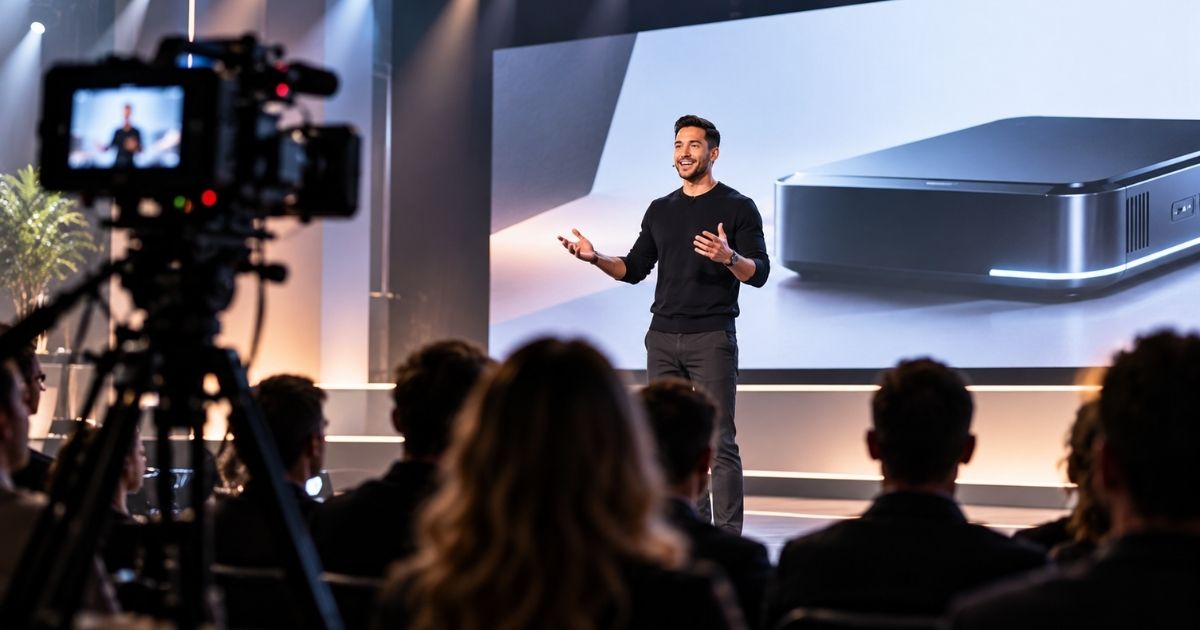
Sales Enablement Video Production helps B2B sales teams explain complex offers, answer buyer questions, build trust, and move opportunities forward with reusable video assets. VID creates sales videos designed around specific moments in the buying process, including pre-call education, product walkthroughs, customer proof, objection handling, follow-up, proposal support, and internal sales training. Depending on the need, production can include executive videos, product demos, customer stories, explainer videos, personalized outreach content, competitive positioning, and short-form proof clips. The goal is to reduce repetitive explanation, give prospects the right information at the right stage, and help sales teams run more effective conversations with buyers who are already better informed.

Sales Enablement Video Production
Create Sales Enablement Videos that help prospects understand, trust, and buy faster. VID produces product, proof, objection-handling, and sales content built for the buyer journey.
Sales Enablement Video Production gives sales teams a reusable library of video assets designed around the questions, objections, proof points, and information buyers need throughout the sales process.
Instead of relying on every rep to explain the same product, customer proof, implementation process, or differentiation from scratch, VID helps turn those recurring conversations into consistent video content that can be used before calls, after meetings, inside outbound, alongside proposals, and throughout complex multi-stakeholder deals.
Best For
Sales Enablement Video Production is especially useful for:
- B2B SaaS companies
- Enterprise sales teams
- Technology companies
- Professional services firms
- Healthcare companies
- Financial services
- Complex B2B products
- Long sales cycles
- Multi-stakeholder buying committees
- Account-based sales teams
- Sales teams with repeatable objections
- Companies selling high-consideration offers
Build the Video Library Around the Sales Funnel
A strong Sales Enablement Video library should map directly to the buyer journey.
Prospecting
Create concise videos that earn attention and give prospects a reason to engage.
Useful formats include:
- Personalized outreach videos
- Executive introductions
- Problem-focused explainers
- Industry-specific videos
- Short customer proof clips
Pre-Discovery
Give prospects enough context to arrive prepared for the first conversation.
Useful formats include:
- Company Overview Videos
- Product Overview Videos
- Explainer Videos
- Introductory customer stories
Discovery & Evaluation
Answer deeper questions and help buyers understand fit.
Useful formats include:
- Product demos
- Feature demos
- Use-case videos
- Technical explainers
- Customer case studies
Objection Handling
Address the concerns that repeatedly slow opportunities down.
Examples include:
- Implementation
- Security
- Integration
- Adoption
- Switching costs
- Internal resources
- ROI
- Change management
Decision
Give buyers the proof and confidence needed to move forward.
Useful formats include:
- Relevant customer stories
- Executive messages
- Implementation videos
- Proposal summaries
- Competitive differentiation
- ROI stories
Expansion
Sales Enablement Video can also support upsell, cross-sell, and account expansion by explaining new capabilities, services, or use cases to existing customers.
Build for the Buying Committee
B2B sales rarely involve one person.
A strong video library can provide different information for different stakeholders.
Executive Buyer
Focus on business outcomes, strategic value, risk, and ROI.
Marketing or Business User
Focus on workflow, capabilities, ease of use, and results.
Technical Buyer
Focus on implementation, integrations, architecture, security, and technical requirements.
Finance or Procurement
Focus on value, efficiency, cost, process, and commercial clarity.
Internal Champion
Give the champion content that makes it easier to explain and advocate for the solution internally.
Sales Enablement Video Production Process
Sales Process Audit
Identify where buyers get stuck, what reps repeat, and which questions consistently slow down opportunities.
Content Mapping
Map those needs to specific stages of the buyer journey and determine which videos should exist.
Messaging Development
Turn the sales team’s strongest explanations, proof points, and customer insights into clear video messaging.
Production
Capture the content through remote filming, studio production, on-site filming, screen recording, animation, interviews, or customer production.
Versioning
Create industry-specific, persona-specific, stage-specific, or account-specific versions when needed.
Sales Deployment
Organize the video library so reps can quickly find and send the right content at the right moment.
Sales Enablement Video vs. Sales Video
A Sales Video is any video used to help sell.
Sales Enablement Video is broader and more systematic.
It refers to a library of video assets designed to support the sales process across multiple stages, buyer personas, objections, and opportunities.
The goal is not one persuasive sales video.
The goal is a repeatable video system that helps the entire sales team sell more effectively.
Sales Enablement Video vs. Marketing Video
Marketing Video typically focuses on generating awareness, interest, and demand.
Sales Enablement Video focuses on helping known prospects evaluate, understand, trust, and choose the solution.
The same asset can sometimes support both, but the buyer context and objective are different.
Sales Enablement Video vs. Product Demo
A Product Demo Video is one specific Sales Enablement Video format.
A broader Sales Enablement Video library may also include:
- Customer proof
- Executive content
- Implementation videos
- Objection handling
- Case studies
- Comparisons
- Proposal support
- Industry-specific content
Objection-Handling Video Library
One of the strongest opportunities is turning recurring objections into short reusable videos.
Instead of relying on each salesperson to answer the same concern differently, create approved video responses around questions such as:
- How difficult is implementation?
- How long does onboarding take?
- Will this integrate with our existing systems?
- How much internal effort is required?
- How is this different from competitors?
- What happens after we sign?
- How do we measure ROI?
These videos can be sent immediately when an objection appears.
Customer Proof by Segment
A generic customer testimonial is useful.
A relevant customer testimonial is stronger.
Sales teams can organize proof by:
- Industry
- Company size
- Buyer role
- Use case
- Product
- Business problem
- Result achieved
This allows reps to send the story most similar to the opportunity they are trying to close.
Personalized Video for Strategic Accounts
Some deals justify more personalized production.
For high-value opportunities, Sales Enablement Video can include:
- Personalized executive messages
- Account-specific product walkthroughs
- Custom proposal videos
- Industry-specific explanations
- Personalized implementation overviews
This can add a human layer to account-based selling without requiring every interaction to happen live.
Sales Enablement Video Library Structure
A clear internal library might be organized into:
- Company Overview
- Product Overview
- Product Demos
- Features
- Industries
- Use Cases
- Customer Stories
- Objections
- Implementation
- Technical Questions
- Competitive Positioning
- Proposals
- Expansion
The easier the library is to navigate, the more likely sales reps are to actually use it.
Repurposing Opportunities
One Sales Enablement Video production can create:
- Main Sales Video
- Product Demo
- Feature Demos
- Customer Proof Clips
- Objection Videos
- Executive Messages
- Proposal Videos
- Industry-Specific Versions
- Persona-Specific Versions
- Short Email Clips
- LinkedIn Outreach Videos
- Sales Presentation Assets
Measuring Sales Enablement Video Performance
Useful metrics can include:
- Video usage by sales reps
- Views by opportunity
- Completion rate
- Meeting conversion
- Opportunity progression
- Sales cycle length
- Deal velocity
- Proposal acceptance
- Win rate
- Expansion revenue
- Pipeline influenced
- Revenue influenced
One of the most useful questions is simply:
Are reps using the videos, and do opportunities move forward after they do?
Professional Sales Enablement Video Production helps B2B companies create reusable video content that supports prospecting, discovery, product evaluation, objection handling, proposal follow-up, and deal closing.
VID produces Sales Videos, Product Demo Videos, Customer Testimonial Videos, Case Study Videos, Objection-Handling Videos, Executive Videos, Proposal Videos, Implementation Videos, and Sales Training Content for B2B sales teams.
Production can include sales strategy, messaging, scripting, remote filming, on-site production, screen recording, customer interviews, professional editing, motion graphics, captions, personalized versions, and sales-ready delivery.
Sales Enablement Videos can be used in outbound email, LinkedIn outreach, CRM sequences, pre-call education, post-demo follow-up, digital sales rooms, proposals, account-based marketing, and customer expansion.
For a defined Sales Enablement Video project, production can be scoped through VID Project. Companies that need an evolving sales content library can incorporate Sales Enablement Video Production into a recurring Video System through VID Operate.
When & Where You Can Use This Format
Use Sales Enablement Video Production when your sales team is repeatedly explaining the same ideas, sending the same follow-up information, or relying too heavily on live calls to educate buyers.
It is especially useful when:
- Prospects need education before a sales call — Send videos in advance so discovery can begin with qualification instead of basic explanation.
- Your sales cycle is complex — Give buyers reusable assets they can watch, share internally, and revisit throughout the decision process.
- Reps keep answering the same questions — Turn common explanations into consistent video assets.
- You need stronger follow-up after meetings — Send a relevant Product Demo, Customer Story, or Explainer Video tied directly to what was discussed.
- Multiple stakeholders are involved in the purchase — Give your champion content they can forward internally to decision-makers who were not on the call.
- You need more customer proof in the sales process — Match testimonial and case study videos to the prospect’s industry, problem, or objection.
- Your product is difficult to explain in a deck — Use video to demonstrate workflows, products, processes, or outcomes more clearly.
- You want more consistency across the sales team — Give every rep access to approved messaging and reusable video assets.
- You need to support proposals or late-stage deals — Reinforce differentiation, implementation, results, and next steps with targeted content.
- You are running outbound campaigns — Use concise video assets to move prospects from awareness into deeper evaluation.
"We generated over $500,000 in sales from our event from our pre-launch to live offers, yay!"
“They were absolutely phenomenal! They helped my team, customers and messaging. It was exactly what my business needed to grow.”
"The We Don't Always Agree podcast has been nominated for two NAACP Image Awards for Outstanding Podcast: Lifestyle & Self Help and Society & Culture." A video podcast featuring Sterling K. Brown and Ryan Michelle Bathe.
"Amazing! Thanks again for all your help and hard work on this project. We're all really thrilled with the final result and you & your team made the process so easy."
Examples Of This Format
- Pre-Call Company Overview Video — Give prospects a concise introduction to the company, offer, and value proposition before the first meeting.
- Product Demo Video — Show the product working so the live sales conversation can focus on the buyer’s specific needs.
- Feature-Specific Demo — Send a short walkthrough of the exact capability a prospect asked about.
- Customer Testimonial Video — Use a relevant customer story to provide proof from a company similar to the prospect.
- Case Study Video — Walk through the problem, solution, implementation, and measurable results of a customer engagement.
- Objection-Handling Video — Address a common concern such as implementation, integration, pricing structure, security, or internal adoption.
- Post-Discovery Follow-Up Video — Reinforce the most important topics from the sales conversation with a relevant video asset.
- Executive Introduction Video — Let a founder or executive personally welcome a high-value prospect or explain the company’s perspective.
- Implementation Overview Video — Show what happens after purchase so buyers understand onboarding, timelines, roles, and expectations.
- Competitive Differentiation Video — Clearly explain how your approach differs from common alternatives without relying on a static comparison slide.
- Proposal Support Video — Add a concise video alongside a proposal to summarize the recommendation, scope, and desired outcome.
- Sales Outreach Video — Use short personalized or semi-personalized videos in prospecting sequences.
- Internal Sales Training Video — Train reps on products, messaging, objection handling, sales process, and best practices.




Commonly Asked Questions
What Is a Sales Enablement Video?
A Sales Enablement Video is a video created specifically to help sales teams move buyers through the sales process.
It can educate, demonstrate, build trust, answer objections, provide proof, or help a prospect share information with other stakeholders.
Unlike general brand content, Sales Enablement Videos are usually tied to a specific sales-stage objective.
What Types of Sales Enablement Videos Can VID Produce?
VID can produce:
- Product Demo Videos
- Customer Testimonial Videos
- Case Study Videos
- Explainer Videos
- Company Overview Videos
- Objection-Handling Videos
- Executive Videos
- Implementation Videos
- Proposal Videos
- Competitive Comparison Videos
- Sales Outreach Videos
- Internal Sales Training Videos
The right format depends on the sales stage and what the buyer needs to understand next.
How Can Video Shorten the Sales Cycle?
Video can move education outside of live sales calls.
Instead of repeatedly explaining the same product, process, proof point, or implementation detail, sales can send the relevant asset before or after the meeting.
This helps buyers move through evaluation asynchronously and can make live conversations more focused.
Can Sales Enablement Videos Help With Multi-Stakeholder Deals?
Yes.
This is one of the strongest use cases.
In complex B2B sales, the person attending the demo often needs to explain the solution to executives, finance, procurement, IT, operations, or other stakeholders.
Sales Enablement Videos give that internal champion an easier way to communicate the offer accurately.
Where Should Sales Enablement Videos Be Used?
They can be used throughout the sales process, including:
- Outbound email
- LinkedIn outreach
- Pre-call emails
- Discovery follow-up
- Product demos
- Sales presentations
- Proposal follow-up
- Deal rooms
- CRM sequences
- Sales portals
- Account-based marketing
- Customer expansion conversations
Should Sales Enablement Videos Be Personalized?
Some should be.
High-value accounts may justify personalized executive messages, account-specific walkthroughs, or custom proposal videos.
Other assets should be reusable across many opportunities, such as:
- Product demos
- Customer stories
- Objection-handling videos
- Implementation overviews
- Company introductions
A strong enablement library usually combines scalable reusable content with selective personalization.
How Long Should Sales Enablement Videos Be?
The ideal length depends on the job of the video.
Typical ranges include:
- Sales Outreach Video — 30 to 90 seconds
- Objection-Handling Video — 1 to 3 minutes
- Feature Demo — 1 to 3 minutes
- Customer Proof Video — 1 to 4 minutes
- Product Overview — 3 to 5 minutes
- Implementation Overview — 2 to 5 minutes
The video should be as long as necessary to answer the buyer’s question and no longer.
Can VID Create Videos for Specific Industries or Buyer Personas?
Yes.
Sales content becomes more persuasive when the buyer sees a situation that resembles their own.
VID can produce different versions around:
- Industry
- Company size
- Buyer role
- Use case
- Product
- Sales stage
- Common objection
For example, a healthcare prospect may receive different proof and messaging than a SaaS prospect evaluating the same service.
Can Sales Enablement Videos Be Added to Our CRM or Sales Platform?
Yes.
Finished videos can be prepared for use inside:
- CRM sequences
- Sales engagement platforms
- Digital sales rooms
- Landing pages
- Proposal systems
- Customer portals
- Internal enablement libraries
The final workflow depends on the tools your sales team uses.
Can One Production Create a Full Sales Video Library?
Yes.
A structured production can create multiple assets at once, such as:
- Company Overview
- Product Demo
- Feature Demos
- Customer Stories
- Executive Videos
- FAQ Videos
- Objection Videos
- Implementation Video
- Short Sales Clips
Planning the library around the sales process before filming helps create a more complete system.
How Do You Measure Sales Enablement Video Performance?
Useful metrics may include:
- Video views
- Completion rate
- Email engagement
- Meeting conversion
- Opportunity progression
- Deal velocity
- Proposal acceptance
- Sales usage
- Content shares
- Pipeline influenced
- Win rate
The strongest measurement connects video usage to sales activity rather than treating views alone as the objective.
Can Sales Enablement Videos Be Part of VID Operate?
Yes.
Sales Enablement Video works especially well as part of VID Operate because sales teams continuously encounter new objections, questions, use cases, and content needs.
VID can help maintain and expand the video library as the sales process evolves.
For a defined one-time Sales Enablement Video project, production can be scoped through VID Project.
What Makes VID’s Approach to Sales Enablement Video Different?
VID starts with the sales process, not the camera.
The first question is not:
“What video should we make?”
It is:
“Where is the buyer getting stuck, what does sales keep repeating, and what video would help the opportunity move forward?”
The result is a video library built to support actual sales conversations, not simply create more content.
VID for
Sales Enablement Video
Equip sales teams with video assets that move prospects forward at every pipeline stage — without requiring a live rep to deliver the same information repeatedly.