Build your Video Department on one page.
Video gets complicated when the decisions behind it live in different documents, meetings, tools, and people's heads.
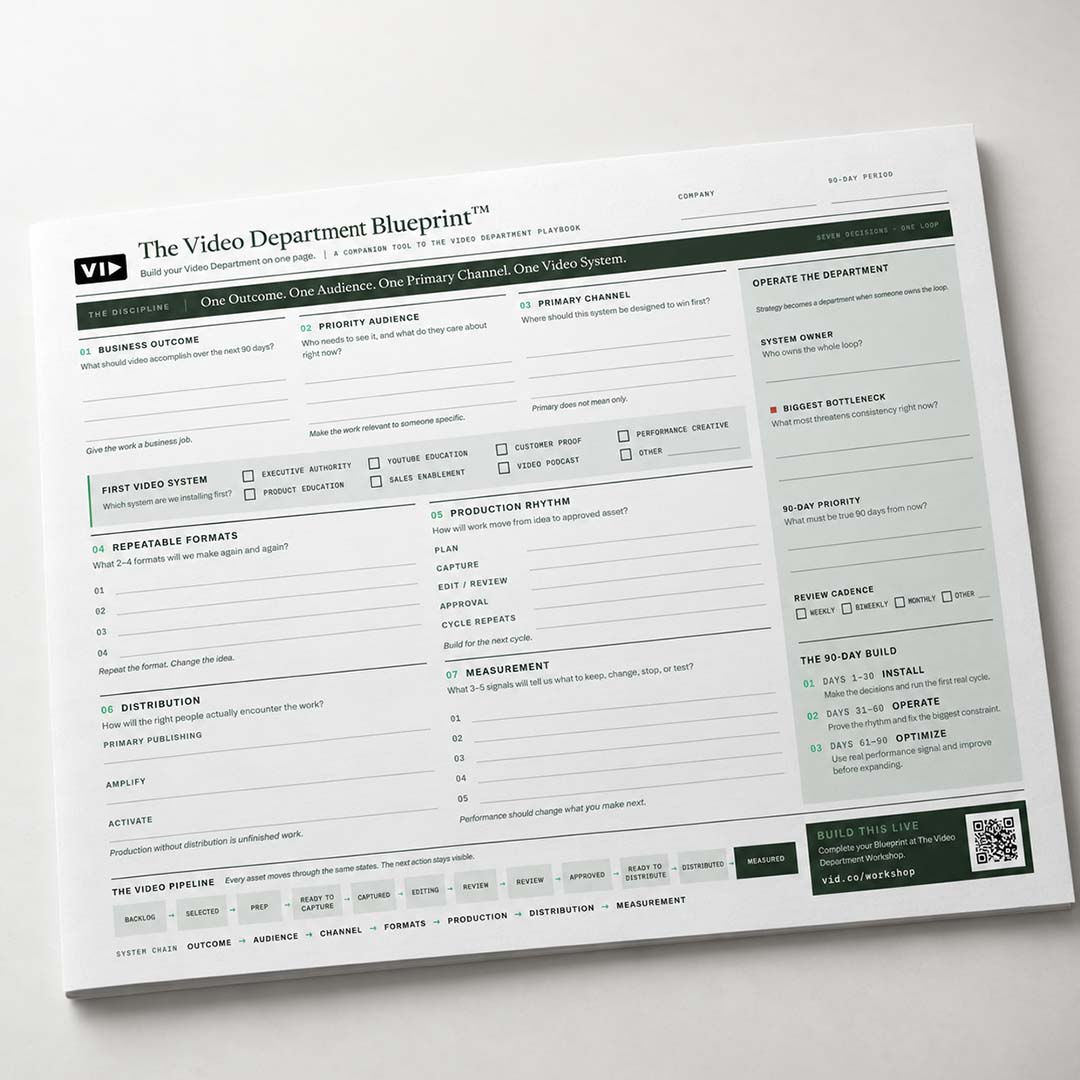
The Video Department Blueprint™ puts the entire system in one place.
Use this one-page working tool to define why you're making video, who it needs to reach, where you'll focus, what you'll make repeatedly, how production will move, how the work will get distributed, and what you'll measure.
Seven decisions. One loop.
The Blueprint walks your team through the seven parts of a Video System:
- Business Outcome: What should video accomplish over the next 90 days?
- Priority Audience: Who needs to see it, and what do they care about right now?
- Primary Channel: Where should this system be designed to win first?
- Repeatable Formats: What two to four formats will you make again and again?
- Production Rhythm: How will work move from idea to approved asset?
- Distribution: How will the right people actually encounter the work?
- Measurement: What three to five signals will tell you what to keep, change, stop, or test?
The Blueprint then connects those strategic decisions to the operating pieces required to actually run the system.
You'll also define:
- Your first Video System
- Your System Owner
- Your biggest bottleneck
- Your 90-day priority
- Your review cadence
- Your production pipeline
- Your 90-day Install → Operate → Optimize plan
The goal isn't to create a perfect strategy document.
It's to create a Video System clear enough for your team to run.
One Outcome. One Audience. One Primary Channel. One Video System.
The one-page Blueprint also includes the full operating loop—from the seven strategic decisions through ownership, review cadence, the 90-day build, and the asset pipeline.
The Discipline
Start with one operating principle:
One Outcome. One Audience. One Primary Channel. One Video System.
01 — Business Outcome
Answer:
What should video accomplish over the next 90 days?
Give the work a business job.
02 — Priority Audience
Answer:
Who needs to see it, and what do they care about right now?
Make the work relevant to someone specific.
03 — Primary Channel
Answer:
Where should this system be designed to win first?
Primary doesn't mean only.
First Video System
Choose the system you're installing first:
- Executive Authority
- YouTube Education
- Customer Proof
- Performance Creative
- Product Education
- Sales Enablement
- Video Podcast
- Other
04 — Repeatable Formats
Choose the two to four formats your team will make again and again.
Repeat the format. Change the idea.
05 — Production Rhythm
Map how work moves from idea to approved asset:
- Plan
- Capture
- Edit / Review
- Approval
- Cycle Repeats
Build for the next cycle.
06 — Distribution
Define how the right people will actually encounter the work:
- Primary Publishing
- Amplify
- Activate
Production without distribution is unfinished work.
07 — Measurement
Choose three to five signals that tell you what to:
Performance should change what you make next.
These seven sections and their working prompts make up the primary planning area of the one-page Blueprint. VID - Video Department Blueprint
Operate the Department
Strategy becomes a department when someone owns the loop.
Define:
- System Owner: Who owns the whole loop?
- Biggest Bottleneck: What most threatens consistency right now?
- 90-Day Priority: What must be true 90 days from now?
- Review Cadence: Weekly, biweekly, monthly, or another cadence
The 90-Day Build
Days 1–30 — Install
Make the decisions and run the first real cycle.
Days 31–60 — Operate
Prove the rhythm and fix the biggest constraint.
Days 61–90 — Optimize
Use real performance signals and improve before expanding.
The Video Pipeline
Every asset moves through the same states so the next action stays visible:
Backlog → Selected → Prep → Ready to Capture → Captured → Editing → Review → Approved → Ready to Distribute → Distributed → Measured
The Blueprint shows this entire pipeline across the bottom of the page, reinforcing that strategy and production are part of the same operating system.
See the entire Video Department as one connected system.
The Video Department Blueprint™ helps you:
- Define the primary Business Outcome video should support over the next 90 days.
- Identify the Priority Audience whose attention matters most.
- Choose the Primary Channel where your system should be designed to win first.
- Select the first Video System your company should install.
- Define two to four Repeatable Formats your team can produce consistently.
- Establish a Production Rhythm from planning through capture, editing, review, and approval.
- Build a Distribution Plan covering primary publishing, amplification, and activation.
- Choose three to five Measurement Signals that inform what you keep, change, stop, or test.
- Assign a System Owner responsible for the entire loop.
- Identify the biggest bottleneck threatening consistency.
- Set one clear 90-Day Priority.
- Establish a regular Review Cadence.
- Visualize the entire Video Pipeline from backlog through measurement.
- Turn video strategy into an operating system your team can actually run.
Built for B2B teams ready to make video more systematic.
The Video Department Blueprint™ is designed for:
- CMOs and VPs of Marketing who need a clear view of how video supports the business.
- Heads of Content building a more repeatable content and video operation.
- Marketing teams struggling with disconnected video projects, channels, priorities, or workflows.
- Internal video teams that need clearer alignment around strategy, ownership, and distribution.
- Companies working with agencies and freelancers that need one internal system governing the work.
- B2B companies building a Video Department without necessarily building a large in-house production team.
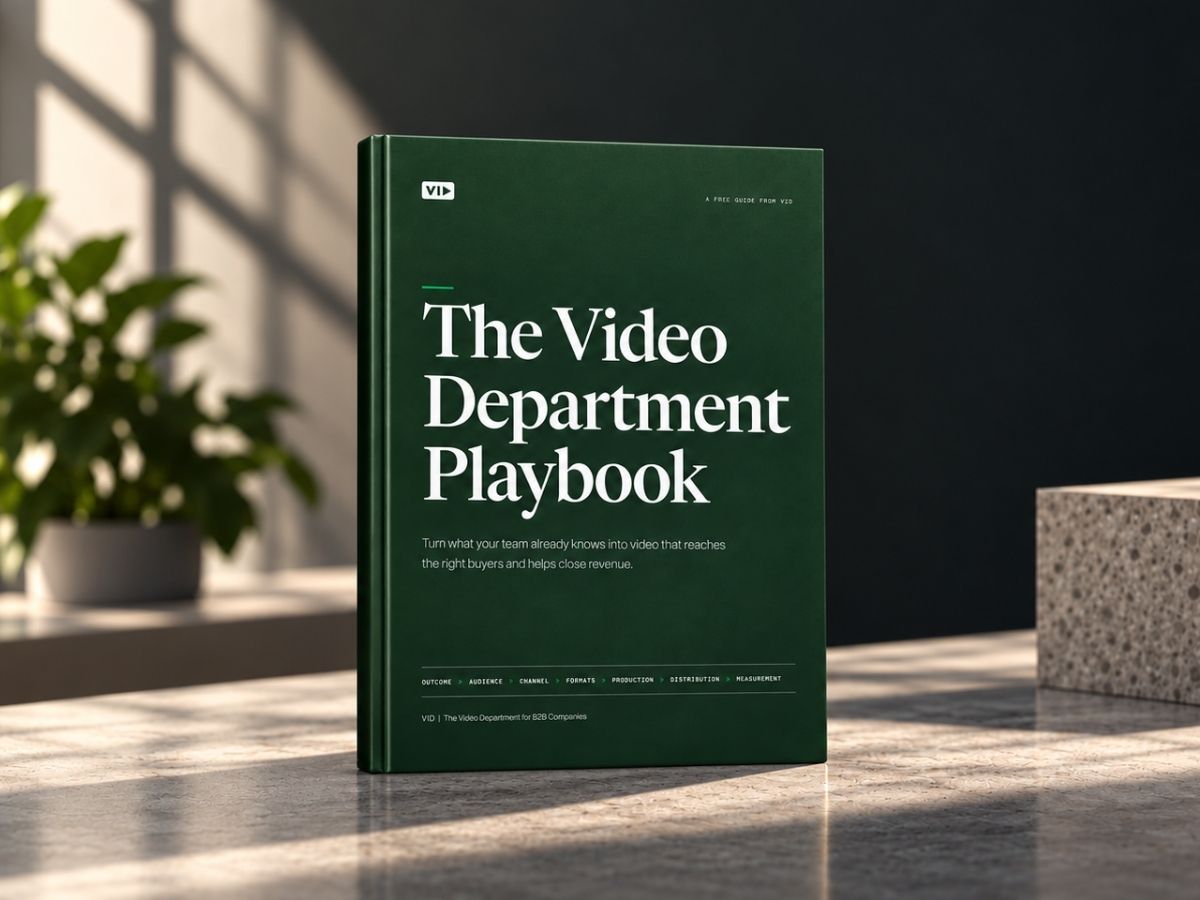
- Teams using The Video Department Playbook that want to translate the framework into a one-page operating plan.
- Marketing leaders preparing for The Video Department Workshop who want to map their current system and identify the biggest constraint.
Complete the Blueprint with your team.
The Video Department Blueprint™ is designed to be worked through—not simply read.
Print it, open it during a planning session, or complete it alongside The Video Department Playbook.
1. Set the 90-day window.
Write down your company and the 90-day period you're designing the system for.
Keep the planning horizon short enough to make real decisions.
2. Work through the seven decisions in order.
Complete:
Outcome → Audience → Channel → Formats → Production → Distribution → Measurement
Avoid jumping immediately to video ideas or production.
Start with the business job.
3. Choose your first Video System.
Select the system that most directly supports your Business Outcome:
- Executive Authority
- YouTube Education
- Customer Proof
- Performance Creative
- Product Education
- Sales Enablement
- Video Podcast
- Other
Choose one first.
4. Define how the department operates.
Identify:
- Who owns the system
- The biggest bottleneck
- The most important 90-day priority
- How often the system will be reviewed
Strategy becomes operational when someone owns the loop.
5. Make the workflow visible.
Use the Video Pipeline to establish the stages every asset moves through:
Backlog → Selected → Prep → Ready to Capture → Captured → Editing → Review → Approved → Ready to Distribute → Distributed → Measured
Your team should always be able to see where a video is and what needs to happen next.
6. Run the 90-day build.
Use the first 30 days to Install.
Use days 31–60 to Operate.
Use days 61–90 to Optimize.
Then use what you learned to improve the next cycle.
7. Bring your Blueprint to the Workshop.
The Blueprint is a companion tool to The Video Department Playbook and is designed to be completed alongside the framework.
For additional guidance, bring it to The Video Department Workshop and work through the system with practical B2B examples.