Animation Video Production helps companies explain complex products, services, systems, and ideas through visuals that would be difficult or impossible to capture with live-action video. VID creates Animation Videos using motion graphics, 2D animation, 3D animation, product visualization, diagrams, typography, screen-based elements, and voiceover to make information clearer, more engaging, and easier to understand. Animation is especially effective for B2B technology, SaaS, healthcare, financial services, technical products, product launches, and abstract concepts where the audience needs to see how something works before they can evaluate it. The goal is not simply to make the message more visually interesting, but to use animation strategically to clarify the idea, guide attention, and help the viewer understand what matters faster.
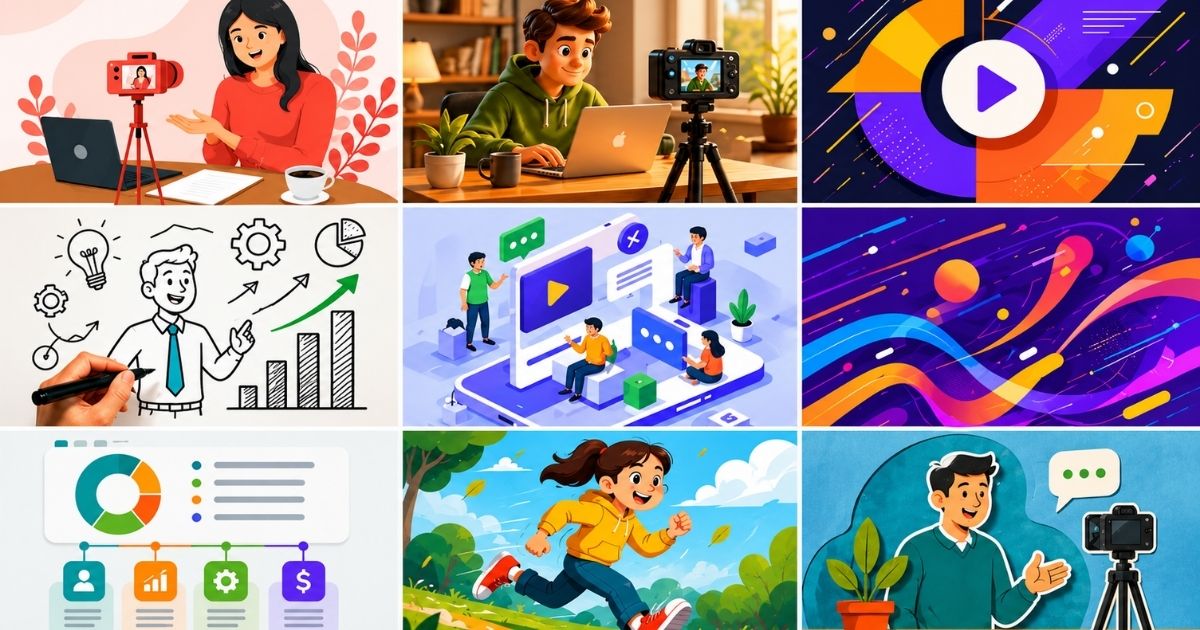
Animation Video Production
Create engaging Animation Videos that simplify complex ideas, explain products, and visualize what live action cannot. VID handles strategy, animation, editing, and delivery.
Animation Video Production helps companies visualize products, systems, data, and ideas that are difficult to explain through live-action footage alone.
VID creates Animation Videos for B2B marketing, product education, technical communication, sales enablement, advertising, and brand storytelling. Depending on the project, production can include 2D animation, 3D animation, motion graphics, product visualization, interface animation, diagrams, data visualization, typography, voiceover, and hybrid live-action elements.
The goal is to use motion strategically so complex information becomes easier to understand, easier to remember, and easier to act on.
Best For
Animation Video Production is especially effective for:
- SaaS and software companies
- Technology companies
- Healthcare and medical organizations
- Financial services
- Manufacturing
- Engineering
- Industrial products
- Data and analytics platforms
- Cybersecurity
- B2B services
- Product launches
- New technologies
- Technical sales teams
Animation Video Production Process
Strategy
Define the target audience, business objective, message, distribution channel, and information the viewer needs to understand.
Script Development
Structure the story around the problem, concept, process, or product being explained.
Storyboarding
Translate the script into a visual sequence before full animation begins.
Style Development
Establish the visual language, including illustration, typography, iconography, product rendering, motion style, and brand treatment.
Animation
Create the scenes, transitions, diagrams, product visuals, interface motion, and supporting graphics.
Voiceover & Sound
Add narration, music, sound design, and other audio elements that support comprehension and pacing.
Final Delivery
Prepare the finished Animation Video and any additional versions required for web, social, sales, advertising, events, or internal use.
2D Animation Video
2D Animation uses flat illustrations, icons, typography, diagrams, and motion graphics to explain ideas visually.
It works especially well for:
- Explainer Videos
- SaaS products
- Processes
- Business concepts
- Data
- Services
- Educational content
3D Animation Video
3D Animation is useful when products, equipment, environments, or technical systems need to be shown with greater depth and realism.
It can visualize:
- Internal components
- Product assembly
- Mechanical movement
- Architecture
- Medical devices
- Industrial equipment
- Product prototypes
- Technical systems
Motion Graphics Video
Motion Graphics uses animated typography, icons, shapes, diagrams, charts, and branded design elements to communicate information.
It is especially useful for:
- B2B marketing
- Data visualization
- Corporate communication
- Product education
- Sales presentations
- Social video
- Event content
Product Animation Video
Product Animation helps buyers see how a product works when live-action filming cannot show the full story.
It can reveal:
- Internal functionality
- Product components
- Hidden mechanisms
- Assembly
- Feature callouts
- Technical specifications
- Product workflows
This makes it especially useful for hardware, medical devices, manufacturing, industrial products, and technical equipment.
UI and Software Animation
Animation can also make software easier to understand without relying only on raw screen recordings.
VID can use animated interfaces to:
- Highlight specific features
- Show workflows
- Simplify navigation
- Visualize automation
- Explain integrations
- Demonstrate data movement
- Focus the viewer on key actions
This can make complex software feel clearer and more intentional.
Data Visualization Animation
Static charts often require the viewer to interpret the information on their own.
Animated data visualization can guide attention through:
- Trends
- Comparisons
- Growth
- Benchmarks
- Research findings
- Performance metrics
- Forecasts
This is especially valuable for thought leadership, investor communication, reports, and technical presentations.
Animation for Technical Sales
Complex B2B sales often require buyers to understand systems that cannot be easily demonstrated in person.
Animation can help sales teams visualize:
- Architecture
- Infrastructure
- Integrations
- Data flows
- Technical processes
- Product differentiation
- Deployment models
These assets can support sales presentations, proposals, demos, and post-call follow-up.
Animation vs. Screen Recording
A Screen Recording shows the actual interface as it exists.
An Animation Video gives you more control over how the interface, workflow, or concept is presented.
Screen recordings are stronger when buyers need to evaluate the real product.
Animation is stronger when the goal is to simplify, emphasize, or visualize something the interface alone does not communicate clearly.
Many productions combine both.
Animation vs. Explainer Video
An Explainer Video describes the purpose of the content.
Animation describes how the content is produced visually.
An Explainer Video can be animated, live action, or hybrid.
This distinction matters because Animation Video Production can also be used for product showcases, advertising, technical education, data visualization, social content, and brand storytelling.
Animation vs. 3D Product Rendering
A static 3D Product Render creates an image of a product.
A 3D Animation Video adds movement, sequencing, transformation, and storytelling.
This makes animation better suited for demonstrating how a product works, how components interact, or how a technical system changes over time.
Repurposing Opportunities
One Animation Video Production can create:
- Main Animation Video
- Animated Explainer
- Product Animation
- Short Social Clips
- Paid Ads
- Website Hero Loops
- GIFs
- Product Page Animations
- Sales Presentation Assets
- Event Screen Content
- Vertical Versions
- Individual Animated Scenes
- Data Visualization Clips
Measuring Animation Video Performance
The right metrics depend on the business objective.
Useful signals can include:
- Watch time
- Completion rate
- Audience retention
- Landing page engagement
- Conversion rate
- Sales usage
- Product understanding
- Click-through rate
- Paid campaign performance
- Lead generation
- Pipeline influence
For educational or technical animation, comprehension and sales usefulness can be more important than raw view count.
Professional Animation Video Production helps companies explain complex products, technical systems, data, and ideas through clear visual storytelling.
VID produces 2D Animation Videos, 3D Animation Videos, Motion Graphics Videos, Animated Explainer Videos, Product Animation Videos, SaaS Animations, Medical Animations, Technical Animations, and Data Visualization Videos for B2B companies.
Production can include strategy, script development, storyboarding, illustration, motion design, 3D modeling, interface animation, voiceover, sound design, editing, captions, and platform-specific versions.
Animation Videos can support websites, product pages, sales enablement, product launches, advertising, social media, training, events, investor communications, and broader video marketing programs.
For a defined animation project, production can be scoped through VID Project. Companies that need ongoing animated content can incorporate Animation Video Production into a recurring Video System through VID Operate.
When & Where You Can Use This Format
Use Animation Video Production when the story depends on visuals that cannot be filmed easily or when complex information needs to become easier to understand.
It is especially useful when:
- Your product or service is complex — Break technical or multi-step ideas into clear visual sequences.
- The concept is difficult to film — Visualize software systems, data flows, internal processes, infrastructure, or abstract ideas.
- You need to explain how something works — Use diagrams, motion graphics, and animated workflows to guide the viewer step by step.
- You’re launching a new product — Show capabilities, architecture, benefits, or product concepts before every visual asset exists.
- You need consistent brand visuals — Create a controlled visual system that does not depend on locations, weather, or physical production conditions.
- You want to simplify technical communication — Make complex information more accessible to non-technical buyers.
- You need product visualization — Show internal components, unseen processes, or products that are difficult to capture in real environments.
- You want to combine animation with live action — Add motion graphics, diagrams, UI animation, or 3D elements to strengthen a broader video production.

"YouTube drove more sales than ever in February! 16.38% of new customers reported finding us on YouTube and 30% of non-word-of-mouth responses! (26% YTD)."

"Our client loves the content, and others in the industry are taking notice as well."

"Using VID's TikTok UGC video ads we were able to quickly increase app downloads and become a top ranking brand in the iOS app store."

"Wowowwww!! The music, colors, and fonts are such a VIIIIBE!!! You killed this!!!"
Examples Of This Format
- Animated Explainer Video — Use motion graphics and voiceover to explain a complex B2B product, service, or idea.
- SaaS Platform Animation — Visualize software workflows, integrations, data movement, and platform architecture.
- 3D Product Animation — Show a physical product from multiple angles, including internal components or functionality that cannot be filmed directly.
- Technical Process Animation — Explain an engineering, manufacturing, healthcare, or operational process step by step.
- Data Visualization Video — Turn research, metrics, trends, or performance data into animated charts and visual storytelling.
- Product Launch Animation — Introduce a new product or capability with high-impact animated visuals and feature callouts.
- Motion Graphics Brand Video — Combine typography, icons, graphics, and animation to communicate a brand message without traditional live-action footage.
- Healthcare or Medical Animation — Visualize anatomy, treatment processes, medical technology, or complex patient education.
- Financial Services Animation — Simplify financial products, transactions, investment concepts, or complex workflows.
- Integration Animation — Show how multiple platforms, systems, or technologies connect and exchange information.
- Animated Social Video — Create short-form motion-based content for LinkedIn, YouTube, Instagram, and paid social.
- Hybrid Live Action + Animation Video — Combine filmed interviews or product footage with animated graphics, diagrams, UI elements, and visual effects.






Commonly Asked Questions
What Is an Animation Video?
An Animation Video uses illustrated, graphic, 2D, 3D, or motion-based visuals to communicate an idea, explain a process, demonstrate a product, or tell a story.
Animation is especially useful when the subject is difficult to film, highly technical, abstract, or easier to understand visually than through live action alone.
What Types of Animation Videos Can VID Produce?
VID can produce a range of Animation Video formats, including:
- Animated Explainer Videos
- 2D Animation Videos
- 3D Animation Videos
- Motion Graphics Videos
- Product Animation Videos
- Data Visualization Videos
- Technical Process Animations
- SaaS and Software Animations
- Medical Animations
- Financial Services Animations
- Animated Social Videos
- Hybrid Live Action + Animation Videos
The production style depends on the audience, subject matter, brand, and business objective.
What Is the Difference Between Animation Video and Motion Graphics?
Animation Video is the broader category.
It can include characters, environments, 2D or 3D objects, product visualization, and more complex visual storytelling.
Motion Graphics typically refers to animated graphic elements such as:
- Typography
- Icons
- Diagrams
- Charts
- Interface elements
- Shapes
- Data visualizations
Motion graphics can be used on their own or combined with broader animation and live-action production.
What Is the Difference Between an Animated Explainer Video and an Animation Video?
An Animated Explainer Video is one specific type of Animation Video.
Its primary purpose is to explain a product, service, process, or concept clearly.
Animation Video Production can serve many other purposes, including:
- Product visualization
- Advertising
- Technical education
- Brand storytelling
- Social content
- Data visualization
- Product launches
When Should We Use Animation Instead of Live Action?
Animation is especially useful when:
- The subject cannot easily be filmed
- The idea is abstract
- Internal product functionality needs to be shown
- Complex workflows need simplification
- Data needs to be visualized
- A product does not yet exist physically
- The visual experience needs to be fully controlled
- Technical concepts need to be made easier to understand
Live action is usually stronger when people, environments, emotion, or authenticity are central to the story.
Many projects benefit from combining both.
Can VID Combine Animation With Live-Action Video?
Yes.
Hybrid productions can combine:
- Interviews
- Product footage
- Screen recordings
- Animated diagrams
- Motion graphics
- 3D product visualization
- On-screen text
- Data visualization
This can be especially effective for B2B and technical content where real people build credibility while animation helps explain complex ideas.
Can VID Create 2D and 3D Animation?
Yes.
The right approach depends on what needs to be communicated.
2D animation can work well for explainers, diagrams, workflows, icons, and branded storytelling.
3D animation is useful for products, equipment, architecture, technical systems, internal components, and objects that need to be visualized from multiple angles.
Can Animation Be Used for SaaS and Software Companies?
Yes.
Animation can help SaaS companies visualize:
- Platform architecture
- Integrations
- Data flows
- Product workflows
- Feature relationships
- Automation
- Abstract functionality
It can also be combined with real screen recordings when buyers need to see the actual interface.
Can Animation Be Used for Physical Products?
Yes.
3D Product Animation can show:
- Product design
- Internal components
- Materials
- Assembly
- Mechanical movement
- Hidden features
- Product functionality
It is especially useful when filming cannot clearly show what is happening inside the product.
Can Animation Videos Include Voiceover?
Yes.
Animation Videos can use:
- Professional voiceover
- Executive narration
- On-screen text
- Music
- Sound design
- A combination of these elements
Voiceover can be especially helpful when the animation needs to guide the viewer through a sequence or complex explanation.
How Long Should an Animation Video Be?
Length depends on the objective.
Typical ranges may include:
- Short Animated Ad — 15 to 60 seconds
- Animated Explainer — 60 seconds to 3 minutes
- Product Animation — 30 seconds to 2 minutes
- Technical Animation — 2 to 5+ minutes
The right length is determined by how much the viewer needs to understand, not by a fixed runtime.
How Long Does Animation Video Production Take?
Animation production timelines depend on:
- Style
- Length
- Number of scenes
- Illustration complexity
- 2D vs. 3D
- Character animation
- Product modeling
- Voiceover
- Revision requirements
Animation often requires more pre-production than simple live-action editing because the visuals are created intentionally rather than captured during filming.
VID establishes the timeline based on the scope before production begins.
Does VID Help With the Script and Storyboard?
Yes.
Animation production can include:
- Messaging
- Script development
- Visual concepts
- Storyboards
- Style frames
- Scene planning
- Voiceover
- Animation
- Sound design
- Final editing
Strong pre-production is especially important because the story and visual direction should be clear before full animation begins.
Can Animation Videos Match Our Brand?
Yes.
Animation can be built around your existing:
- Brand colors
- Typography
- Illustration style
- Graphic language
- Iconography
- Product interface
- Design system
VID can also develop a visual direction specifically for the video when a broader animation style has not yet been established.
Can One Animation Project Create Multiple Assets?
Yes.
A primary animation can often be repurposed into:
- Short-form social clips
- Paid ads
- Website loops
- Product-page animations
- GIFs
- Sales presentation assets
- Vertical versions
- Feature animations
- Individual scenes
- Event screen content
Planning these outputs early can increase the value of the production.
Can Animation Videos Be Localized Into Multiple Languages?
Yes.
Animation is often well suited for localization because visual assets can remain consistent while changing:
- Voiceover
- Captions
- Subtitles
- On-screen text
- Graphics
This can make one production useful across multiple markets.
Can Animation Video Production Be Part of VID Operate?
Yes.
Companies that need ongoing explainers, product animations, social motion graphics, or technical visual content can incorporate Animation Video Production into a recurring Video System through VID Operate.
For a defined one-time animation project, production can be scoped through VID Project.
What Makes a Strong Animation Video?
A strong Animation Video uses motion to make the message clearer, not simply more decorative.
It should help the audience:
- Understand faster
- See what cannot be filmed
- Follow complex information
- Focus on what matters
- Remember the central idea
- Know what to do next
The best animation makes complexity feel simple without stripping away what makes the subject important.
VID for
Animation Video
Explain complex products, processes, and concepts visually — when live-action filming cannot show what the product does or how it works.