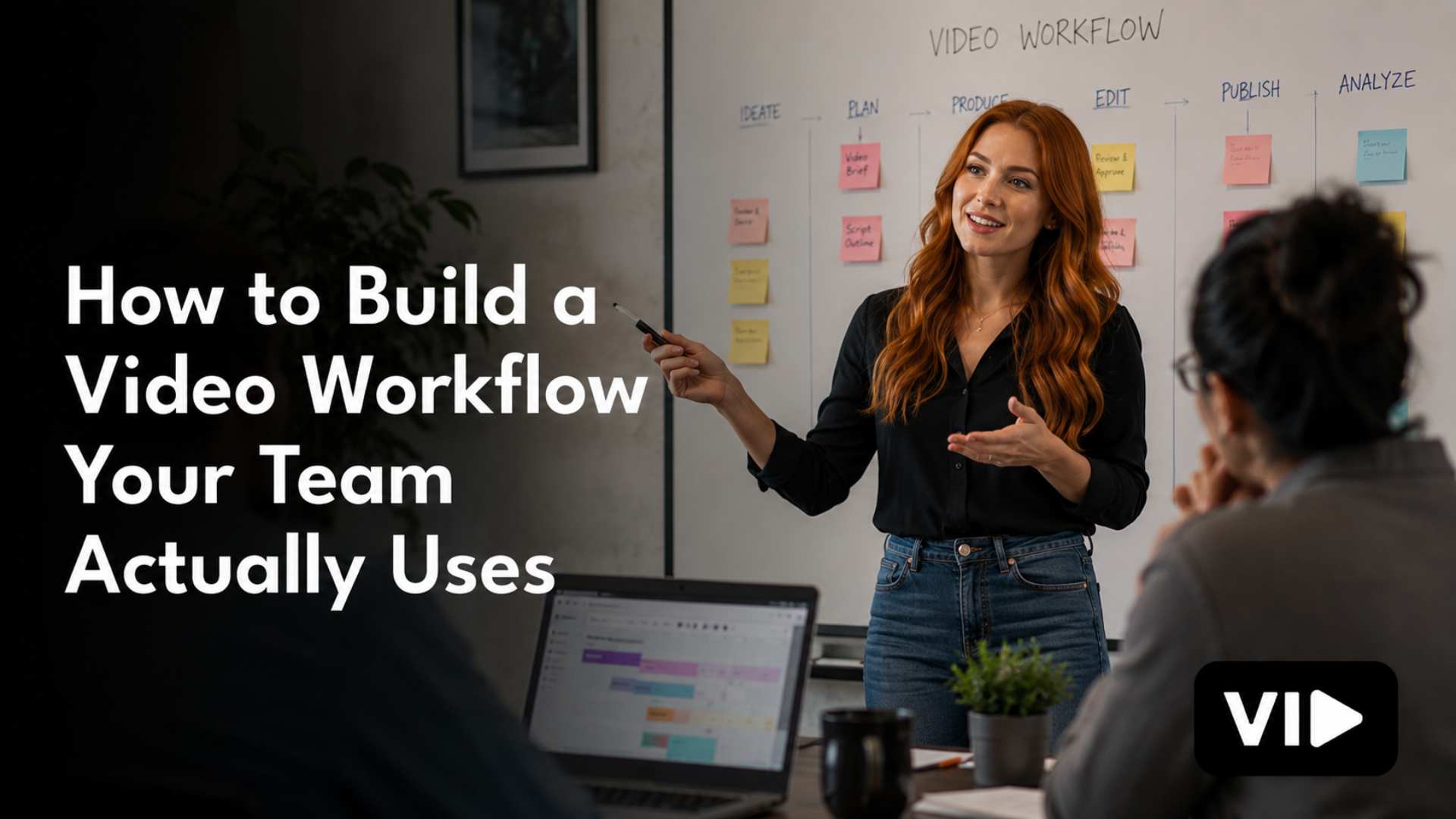

Most marketing teams have attempted a video workflow at some point. Someone built a Notion board. Someone else set up a folder structure in Google Drive. There was a kickoff meeting. There were good intentions.
Six weeks later, half the team was still sending scripts in Slack and the Notion board had three items in it, all labeled "In Progress," none of them moving.
The problem is almost never the tool. And it's almost never the people. The problem is that most video workflows are built around how video production is supposed to work in theory, not around how a specific marketing team actually works in practice. The gap between those two things is where every workflow goes to die.
This is how to build one that doesn't.
Why Most Video Workflows Fail Before They Start
Before getting into what a good video workflow looks like, it's worth understanding the three most common reasons they fall apart because if you build a new workflow with the same assumptions, you'll get the same result.
They're designed for studios, not marketing teams. Most video production process templates you'll find online were built for agencies or production companies that do nothing but video all day. They include pre-production meetings, location scouts, call sheets, and shot lists. All useful in the right context. Almost entirely irrelevant for a four-person marketing team trying to publish two videos a month between campaign launches.
A workflow designed for a production studio will overwhelm a marketing team. It signals that video is complicated and requires expertise they don't have. And when something feels too complicated, people stop using it.
They add steps without removing friction. A workflow that requires three separate approvals, two tool logins, and a handoff email before a script can move into production isn't a system. It's administrative overhead wearing the costume of a system. Every step you add to a workflow has to earn its place by reducing a different kind of friction downstream. If it doesn't, you're just front-loading work.
They don't account for how creative work actually flows. Creative production is not linear. Scripts get revised after filming. Talking points shift when the subject matter expert sits down for the interview. An edit reveals that the opening doesn't work and the whole piece needs a new structure. A workflow that doesn't have built-in flexibility will either get abandoned or create resentment when the real work doesn't fit neatly into the boxes.
Good video workflows are designed around reality, not around the ideal. They're lighter than you think they need to be, more flexible than makes you comfortable, and built on the specific behaviors and constraints of the team running them.
The Five Stages of a Video Production Workflow That Actually Works
Not every video project needs the same level of process. A 90-second talking-head clip for LinkedIn doesn't need the same workflow as a 10-minute customer story. But both need some version of each of these five stages, and those stages need to be clearly defined, clearly owned, and consistently followed.
Stage 1: Brief
Every video starts with a brief. Not a conversation about a brief. An actual written brief that answers four questions before production begins: Who is this video for? What do we want them to think, feel, or do after watching it? What format and length is right for this? And where does it live when it's done?
A brief does not need to be long. One page is enough if it answers those four questions clearly. What it cannot be is optional. The brief is what separates intentional video production from "let's just make a video and see what happens." Without it, every subsequent stage of production is harder because the decisions that should have been made upfront get deferred into the edit, which is the most expensive place to make them.
Build a brief template and use it for every video. Every single one, regardless of how simple the concept seems. The habit is what matters.
Stage 2: Script or Outline
Not every video needs a word-for-word script. Long-form interviews and conversational content often work better from a structured outline than from a script the talent reads verbatim. But every video needs something written down before anyone presses record.
The decision about whether to script or outline should be made in the brief, not on the day of the shoot. The format of the content determines which is more appropriate. Product demos and explainers tend to benefit from full scripts. Thought leadership and interview content tends to flow better from a detailed outline with talking points.
Whatever you choose, get it reviewed before production. This is the stage where structural problems are cheap to fix. After the shoot, they're not.
Stage 3: Production
This stage is where most teams over-invest in equipment and under-invest in environment. You do not need a cinema camera to produce video that performs well on LinkedIn or YouTube. You need a consistent, well-lit environment, clean audio, and a subject who has been briefed on what they're there to say.
The consistency piece is the most important and the most underrated. A branded, repeatable studio setup means that every video you produce looks like it came from the same team. That visual consistency is a significant part of what makes a YouTube channel or a LinkedIn presence feel professional and credible, far more so than resolution or lens quality.
Define your production environment and configure it once. Then don't change it.
Stage 4: Edit and Review
The editing stage is where most video workflows collapse under the weight of unclear ownership and undefined feedback parameters. Someone finishes an edit and sends it to five people for review. Five people give conflicting notes. The editor makes changes based on some of the notes but not others. A second round of review produces more conflicting feedback. Three revisions in, the video looks worse than it did after the first cut and nobody knows whose vision it's supposed to represent.
This is a process failure, not a creative failure.
Fix it with two rules. First, one person owns the video and has final approval authority. Everyone else gives input, but one person decides. Second, feedback rounds are limited and structured. Round one is for structural issues: does the story work, is anything missing, is the pacing right. Round two is for polish: color, sound mix, graphics, title cards. Anything that comes up in round two that should have been caught in round one gets noted and addressed in the next video's brief, not retroactively applied to the current one.
Stage 5: Distribution and Repurposing
The video is done. Now most teams upload it to YouTube, post it on LinkedIn, and consider the job complete. This is the single biggest efficiency loss in most B2B video marketing operations.
A finished video is raw material for a distribution plan, not the plan itself. A 10-minute thought leadership piece becomes a 60-second clip for LinkedIn, a pull quote graphic for Instagram, a transcript that becomes a blog post draft, and a chapter section for an email newsletter. The production cost is already sunk. The distribution strategy is where you multiply the return.
Build a standard repurposing checklist into your workflow. Every video goes through it before the file gets filed away. Not some videos. Every video.
How to Get Your Team to Actually Use the Workflow
Building the workflow is the easier half of the problem. Getting your team to actually follow it consistently is where most video programs stall.
A few principles that make the difference.
Make the workflow easier than the workaround. If filling out the brief template takes 20 minutes and sending a Slack message takes 30 seconds, people will send Slack messages. Your workflow needs to reduce friction, not add it. The brief template should be a single-page fill-in, not a 12-field form. The review process should happen in one tool, not across email, Slack, and a shared drive simultaneously.
Start with fewer steps than you think you need. Resist the urge to build a comprehensive system on day one. Start with the minimum viable workflow: a brief, a review, and a distribution checklist. Run it for 30 days. Add steps only where you can clearly identify that their absence caused a problem. A workflow that your team uses with 5 steps will always outperform a workflow they ignore with 15.
Assign clear ownership, not shared responsibility. Every step in the workflow needs a named owner. Not "the content team" — a specific person. When responsibility is shared, it defaults to assumed. When it's assigned, it defaults to done. This is the single most important structural decision you can make in workflow design, and it's the one most teams avoid because assigning ownership feels like creating accountability and some teams aren't ready for that conversation.
Run a short retrospective after every five videos. Not a formal meeting. A 20-minute conversation with whoever is running the production. What slowed us down? Where did we skip a step and why? What would have made this easier? The workflow should be a living document that improves with each cycle, not a policy document that gets printed and laminated.
The Role of Tools (And Why They're Not the Problem)
It doesn't matter whether you use Notion, Airtable, Asana, ClickUp, or a shared spreadsheet. The tool is not what makes a video workflow function. The process is what makes it function. The tool just holds the process.
That said, a few principles for choosing and configuring your video production tools:
Use as few tools as possible. Every tool transition in a workflow is a friction point where handoffs get dropped. If you can run your entire video production process in one project management tool and one cloud storage system, do it. Resist the temptation to add specialized tools for specific stages unless the efficiency gain is obvious and measurable.
Keep the workflow visible. Whatever tool you use, configure it so that anyone on the team can see the status of every video in production at a glance. Not buried in a project, not requiring a report to generate. One view, current status, visible to everyone. Visibility creates accountability without requiring check-in meetings.
Don't build the perfect system before you've run it. Build the minimum viable system, run it for a month, and then invest in configuring it further based on what you learned. A sophisticated workflow built on guesses about how your team will work is almost always wrong and expensive to unwind.
What a Functioning Video Workflow Looks Like at Scale
When a video workflow is properly installed and running, a few things become true that feel almost counterintuitive if you've spent years in project-based production.
Video stops being the bottleneck in your marketing calendar. The production schedule is set, the backlog is maintained, and publishing happens according to a rhythm that doesn't depend on someone's bandwidth in a given week.
Onboarding new team members into video production becomes straightforward. Because the process is documented and the templates exist, a new marketing coordinator can contribute to video production in their first month without needing to shadow an experienced producer for six weeks.
The quality of the content improves steadily, not because you hired better talent, but because your team is getting faster feedback on what works, incorporating it into the next cycle, and iterating in a way that project-based production never allows.
And video starts producing measurable results — in pipeline, in audience growth, in brand authority — because it's being published consistently enough to compound instead of spiking and disappearing.
That's the difference a workflow makes. Not just efficiency. Compounding returns on a channel that finally has the infrastructure to deliver them.
The Batch Production Method: How to Get a Month of Video Done in Two Days
If there is one tactical shift that changes the economics of video marketing faster than anything else, it is batch production. And most marketing teams have never tried it.
The idea is simple. Instead of producing one video at a time — scheduling a shoot, editing it, reviewing it, publishing it, then starting the process over — you collapse multiple productions into a single window. You shoot five, six, or eight videos in one day. You edit them in one block. You schedule them to publish over the following four to six weeks.
The result is that your cost per video drops significantly, your team's mental load drops significantly, and your publishing consistency becomes almost automatic because you always have content in the queue.
Here is how to run your first batch production day.
Two weeks before: Lock your brief templates for every video in the batch. Every video that enters production day needs a completed brief and a finalized script or outline. No exceptions. Walking into a batch shoot with unfinished scripts is the fastest way to waste the entire day.
One week before: Confirm your talent. Whether that's your CMO, your subject matter experts, or your founder, batch days require people to be present and prepared. Send them their talking points at least five days out, not the morning of. Prepared talent shoots faster, requires fewer takes, and produces better content.
Day of: Set up your environment once and don't change it. Lighting, camera position, backdrop, microphone — configure it at the start of the day and lock it. Every video in the batch should look visually consistent. If you're switching subjects, the environment stays the same. If you're switching topics, the environment stays the same. Consistency is the point.
Post-production: Edit all videos in the batch before publishing any of them. This is counterintuitive for teams used to publishing as they go, but editing in bulk allows you to maintain stylistic consistency across the batch, catch recurring issues early, and build a publishing queue with real lead time instead of always being one week away from running out of content.
Most marketing teams that try batch production once don't go back to single-video production. The efficiency gain is that obvious.
How to Write a Video Brief That Actually Prevents Problems
The brief is the most valuable document in your video workflow. It is also the most commonly skipped. Here is what a brief that actually works contains — and why each element matters.
Working title. Not a final title, just a clear descriptor of what the video is. This gives the entire team a shared reference point without requiring a creative decision before production has started.
Primary audience. One specific audience segment, not "marketers" or "B2B buyers." The more specific this is — "marketing directors at SaaS companies between 50 and 200 employees who are evaluating video vendors" — the more useful every downstream decision becomes. Scripting, tone, pacing, examples, and even the choice of talking points all change based on who you are actually trying to reach.
Single key message. If the viewer remembers one thing from this video, what is it? Not three things, not five things. One thing. This is harder to write than it sounds, and that difficulty is the point. If you cannot articulate the single key message in one sentence, the video does not have a clear enough premise to produce effectively.
Desired action. What do you want the viewer to do after watching? Subscribe, click a link, book a call, share the video, think differently about a problem? The action should be singular and specific, and it should inform how the video ends.
Format and length. Talking head, interview, screen share, animation, b-roll with voiceover? Define it in the brief. Then define the target length. Not a range — a target. "Around three minutes" becomes a six-minute video because nobody pushed back. "Two minutes and 45 seconds" gives the editor a constraint to work within.
Distribution destination. Where does this video live first? YouTube, LinkedIn, the website, a sales email sequence? The primary destination determines the aspect ratio, the caption requirements, the thumbnail approach, and whether the video opens with a hook or can build more slowly.
Review owner. One name. The person who gives final approval. Not a committee. One person.
A brief with these seven elements takes about 15 minutes to complete and will save three to four hours across the rest of the production cycle. That return is not theoretical. It is the consistent experience of every team that makes briefing non-negotiable.
How to Set Up a Repeatable Studio Environment on Any Budget
One of the most persistent myths in B2B video marketing is that you need a professional studio or expensive equipment to produce video that looks credible. You don't. You need a consistent environment. Those are not the same thing.
A consistent environment has three characteristics: controlled light, clean audio, and a branded or intentionally neutral background. Everything else is secondary.
On light. Natural light from a window is excellent if it is consistent throughout the day and across shoot days. The problem with window light is that it changes. Clouds, time of day, and season all affect it. For this reason, a simple two or three-point LED panel setup is almost always worth the investment for any team producing video more than twice a month. Good light that you control beats great light that you don't.
On audio. Poor audio kills video faster than poor visuals. Viewers will tolerate shaky footage and imperfect framing. They will not tolerate audio that is hard to understand. A directional lavalier microphone or a good USB condenser microphone positioned correctly will outperform the built-in microphone on any camera or laptop by a significant margin. Budget here before you budget for camera upgrades.
On background. Your background communicates brand before a word is spoken. A clean, minimal background with a logo or a branded element visible in the frame is more effective than an elaborate set. The goal is to look intentional, not to look expensive. A well-chosen background that appears in every video your team produces builds visual brand recognition over time in a way that a different background each week never will.
Document your studio setup as a one-page configuration guide with photos. The guide should show exactly where the camera goes, where the lights go, what the frame should look like, and how the audio is configured. Anyone on your team should be able to recreate the setup in 20 minutes without any prior production experience.
That document is infrastructure. Treat it accordingly.
How to Handle the Review and Approval Process Without Losing Your Mind
The edit and review stage is where video workflows die the most preventable deaths. Here is a practical structure that eliminates most of the dysfunction.
Limit reviewers to three people maximum. Every additional reviewer adds feedback volume, increases the likelihood of conflicting notes, and extends the revision cycle. Identify who actually needs to review each video type and limit access to the rough cut accordingly. Everyone else sees the final version.
Use a video-specific feedback tool. Emailing video links and collecting notes in a Google Doc is a recipe for chaos. Tools like Frame.io or Loom allow reviewers to leave timestamped comments directly on the video, which means every piece of feedback is automatically contextualized. The editor does not have to guess which scene "the opening" refers to.
Define what each review round is for and enforce it. Round one is for story and structure. If a reviewer tries to give line-level script notes in round one, redirect them. Round two is for production polish. If a reviewer tries to restructure the video in round two, document the note for the next brief and do not implement it on the current video. Keeping rounds clean is a discipline, and someone needs to enforce it.
Set a turnaround standard for reviewers. Feedback on a rough cut should be due within 48 business hours of delivery. This is not an aggressive timeline. It is a reasonable expectation that treats video production like the business-critical function it is. If reviewers cannot commit to 48 hours, the publishing schedule needs to account for that, or the approval list needs to change.
Establish a "good enough to publish" standard. Perfectionism is the enemy of consistent video production. There is always something that could be tighter, a line that could be phrased better, a frame that could be graded slightly differently. A publishing standard defines the minimum quality bar for release so that the team is working toward a defined threshold, not toward an indefinitely moving one. Set the standard in the brief and use it to close the review process.
Building a Video Content Calendar That You'll Actually Follow
A publishing calendar that sits empty after week three is not a calendar. It is a plan that was never built to survive contact with reality. Here is how to build one that holds.
Start with your available production capacity, not with an ideal publishing frequency. Most teams build their calendar around how often they want to publish and then scramble to produce enough content to hit it. Reverse this. Determine how many videos your team can realistically produce per month given your current bandwidth, workflow, and budget. Build the calendar around that number. You can always increase velocity later. Running out of content and going dark destroys the audience trust you spent months building.
Use a rolling 90-day planning horizon. You should always have at least 90 days of content planned, even if you are only four weeks ahead in production. The 90-day view gives you enough visibility to see thematic gaps, identify when you are over-indexed on one format or topic, and plan batch production windows with enough lead time to prepare talent and scripts.
Map each video to a funnel stage. Awareness content introduces a problem your audience has. Consideration content presents your approach to solving it. Decision content builds confidence in your specific solution. A healthy video content calendar has content at all three stages. If your calendar is all awareness content, you're building an audience that never converts. If it's all decision content, you're selling to people who aren't ready to buy.
Build in intentional white space. Leave at least one slot per month unscheduled. That slot is for reactive content — a trending topic, a timely response to something happening in your industry, a behind-the-scenes piece that doesn't fit your normal format. The teams that feel most creatively locked into their video programs are almost always the ones who over-scheduled themselves with no room for anything unplanned.
Treat your calendar as a publishing commitment, not a wishlist. The difference between a team that publishes consistently and one that doesn't is usually not resources or talent. It is how seriously the publishing schedule is treated internally. When a video deadline is treated with the same weight as a campaign launch, it gets hit. When it's treated as aspirational, it slips. The calendar is a commitment. Hold it accordingly.
The 30-60-90 Day Plan for Installing a Video Workflow From Scratch
If you are starting from zero or rebuilding after a video program that fell apart, this is a realistic timeline for getting a functional workflow installed and running.
Days 1 to 30: Build the foundation.
Define your two or three recurring video formats. Write the brief template for each one. Document your production environment configuration. Identify the owner of each workflow stage. Choose your project management tool and set up a simple production board with five columns: Briefed, In Script, In Production, In Review, Published. Produce your first two videos using the new workflow and pay attention to where it broke down.
Days 31 to 60: Run the first real cycle.
Produce four to six videos in your first batch production block. Edit and schedule them for publishing across six to eight weeks. Run your first distribution and repurposing checklist on each one. Hold a 20-minute retrospective after the batch is complete and document what needs to change. Update your brief template, your studio configuration guide, or your review process based on what you learned. Begin tracking your cost per published video.
Days 61 to 90: Optimize and commit.
By day 90, you should have a publishing cadence that has held for at least six consecutive weeks, a production backlog of at least four weeks of scheduled content, and a clear picture of what your workflow costs and how long it takes. Use this data to make the case internally for sustained investment in the program. The first 90 days is not about results. It is about proof of system. The results follow when the system runs long enough to compound.
Frequently Asked Questions
What should a video production workflow include?
A functional video production workflow should cover five core stages: brief, script or outline, production, edit and review, and distribution and repurposing. Each stage needs a defined owner, a clear output, and a standard process for moving to the next stage. The workflow should be documented, simple enough to follow without supervision, and reviewed regularly to remove friction as the team learns.
How do I get my marketing team to follow a video workflow?
The most important factor is friction reduction. If the workflow is harder to use than the informal process it's replacing, your team will default to the informal process. Start with a minimum viable workflow of three to five steps, assign clear individual ownership for each one, and use a tool your team is already comfortable with. Add complexity only after identifying specific gaps, not in anticipation of them.
What is the best tool for managing a video production workflow?
There is no universally best tool. The right tool is the one your team will actually use. Notion, Airtable, Asana, ClickUp, and even a well-structured Google Sheet can all support a functional video workflow. The more important question is whether the workflow itself is clearly defined, because a great tool running a broken process will still produce a broken result.
How many approval rounds should a video go through?
Most videos need no more than two structured review rounds. The first round addresses structure and story. The second addresses polish and production quality. If a video requires more than two rounds of review, the problem is usually in the brief, not the edit. The more clearly the video's purpose and audience are defined upfront, the fewer revisions it will require downstream.
How long does it take to build a video production workflow?
A functional minimum viable workflow can be designed and documented in a week. Running it for the first time with a real video will reveal gaps, which should be addressed before the second video. Most teams reach a stable, reliable workflow after three to four production cycles, assuming they're running a retrospective after each one and iterating intentionally.
What's the difference between a video workflow and a video content strategy?
A video content strategy defines what you make and why — the formats, the audience, the goals, and the performance benchmarks. A video workflow defines how you make it — the process, the ownership, the tools, and the review structure. Both are necessary. A strategy without a workflow produces good ideas that never get executed. A workflow without a strategy produces consistent output that doesn't serve any clear purpose.
The Workflow Is Not the Destination. The System Is.
A video workflow is a component, not a solution. It solves the execution problem — how do we take a video from idea to published asset without losing weeks to unclear ownership and endless revision cycles.
But a workflow alone won't tell you what to make. It won't configure your studio. It won't define your distribution strategy or tell you whether your content is generating pipeline. Those pieces require a broader operating system around video, one that connects strategy, production, distribution, and measurement into a single functioning infrastructure.
That's what a Video Operating System does. And the workflow is one of its five core pillars.
If your team is ready to stop building workflows that don't get used and start running video like a real marketing function, that's exactly the work we do at VID.
VID installs Video Operating Systems inside marketing teams — the full infrastructure for producing, distributing, and measuring video consistently. Let's talk about what that looks like for your team.



