
There is a concept that every software company understands intuitively and almost no marketing team has ever applied to video.
An operating system does not produce output. It creates the stable environment in which output becomes possible — consistently, reliably, and without requiring the underlying infrastructure to be rebuilt every time something new needs to run.
Your phone's operating system doesn't make calls. It gives every app the foundation to function. Your company's CRM doesn't close deals. It gives your sales team the infrastructure to do so — with visibility, accountability, and compounding intelligence that improves with every interaction logged.
Video, in almost every B2B marketing team today, has no operating system underneath it. It has projects. It has vendors. It has intentions. But it does not have the infrastructure layer that makes consistent, measurable, compounding video production possible without depending on any single person, agency, or quarterly budget cycle to hold it together.
That infrastructure layer is what a Video Operating System is. And this article explains exactly what it contains, how it works, why it's structured the way it is — and why building it in thirty days is not only possible but the only timeline that makes strategic sense.
What a Video Operating System Is — And What It Isn't
Before defining the concept precisely, it's worth clearing away the definitions that sound right but miss the point.
A Video Operating System is not a content calendar. A content calendar tells you what to produce and when. It does not tell you how to produce it, who is responsible for each stage, how to measure whether it worked, or what to do when the person who normally handles production is unavailable. A content calendar is a plan. An operating system is the infrastructure that makes executing a plan repeatable.
A Video Operating System is not a project management setup. Configuring Notion or Asana with video production stages is useful. It is not sufficient. The tool holds the workflow. It does not define the workflow, train the team on it, connect it to strategy, or build the performance measurement infrastructure that connects production activity to pipeline outcomes.
A Video Operating System is not a production retainer. An agency retainer produces deliverables. It does not transfer capability, document processes, train your team, or install the infrastructure that allows your team to produce without the agency. When the retainer ends, the capability ends with it. [INTERNAL LINK: why one-off videos don't work]
A Video Operating System is not a video strategy document. Strategy defines what you produce and why. Infrastructure makes it happen. The most coherent video strategy in the world produces nothing without an operational system running underneath it.
Here is a precise definition: A Video Operating System is the complete, documented, trained operational infrastructure that allows a marketing team to produce consistent, pipeline-connected video — across formats, channels, and buyer stages — without depending on any single vendor, employee, or quarterly reset to keep it running.
Four components make this definition meaningful: it is documented (the knowledge lives in the system, not in people), it is trained (every team member who touches the workflow knows their role), it is pipeline-connected (every production decision is traceable to a business outcome), and it is independent (it runs without the entity that built it).
That last component is the one most video programs never achieve. And it is the one that separates a Video Operating System from everything else.
Why "Operating System" Is the Right Mental Model
The operating system metaphor is not marketing language. It is a precise description of what this infrastructure does and why it is structurally different from the alternatives.
Consider what made the personal computer transformative. It was not the hardware. Hardware existed before the personal computer. It was not individual software applications — those existed before the PC too, in their own fragmented forms. What made the PC transformative was the operating system: the stable, standardized infrastructure layer that allowed any application to run on any hardware without each application having to rebuild the foundational environment from scratch.
Before the OS, software was a series of isolated programs — each one self-contained, each one requiring a different environment, each one starting from scratch when the previous one ended.
Sound familiar?
Most B2B marketing teams run video the same way pre-OS computers ran software. Each video is a self-contained project. Each project requires rebuilding the production environment. Each production engagement ends when the deliverable is delivered. Nothing transfers. Nothing accumulates. Nothing compounds.
The operating system insight is this: when the foundational infrastructure is standardized and stable, every application on top of it runs better, faster, and with less rebuilding. In video terms: when strategy, workflow, performance measurement, and deployment are documented, trained, and running — every video your team produces is faster, cheaper, better aligned to business outcomes, and more measurable than the one before it.
That is the compounding advantage a Video Operating System creates. Not better individual videos. A better system for producing videos — one that improves with each production cycle rather than resetting.
The Four Layers of VidOS™
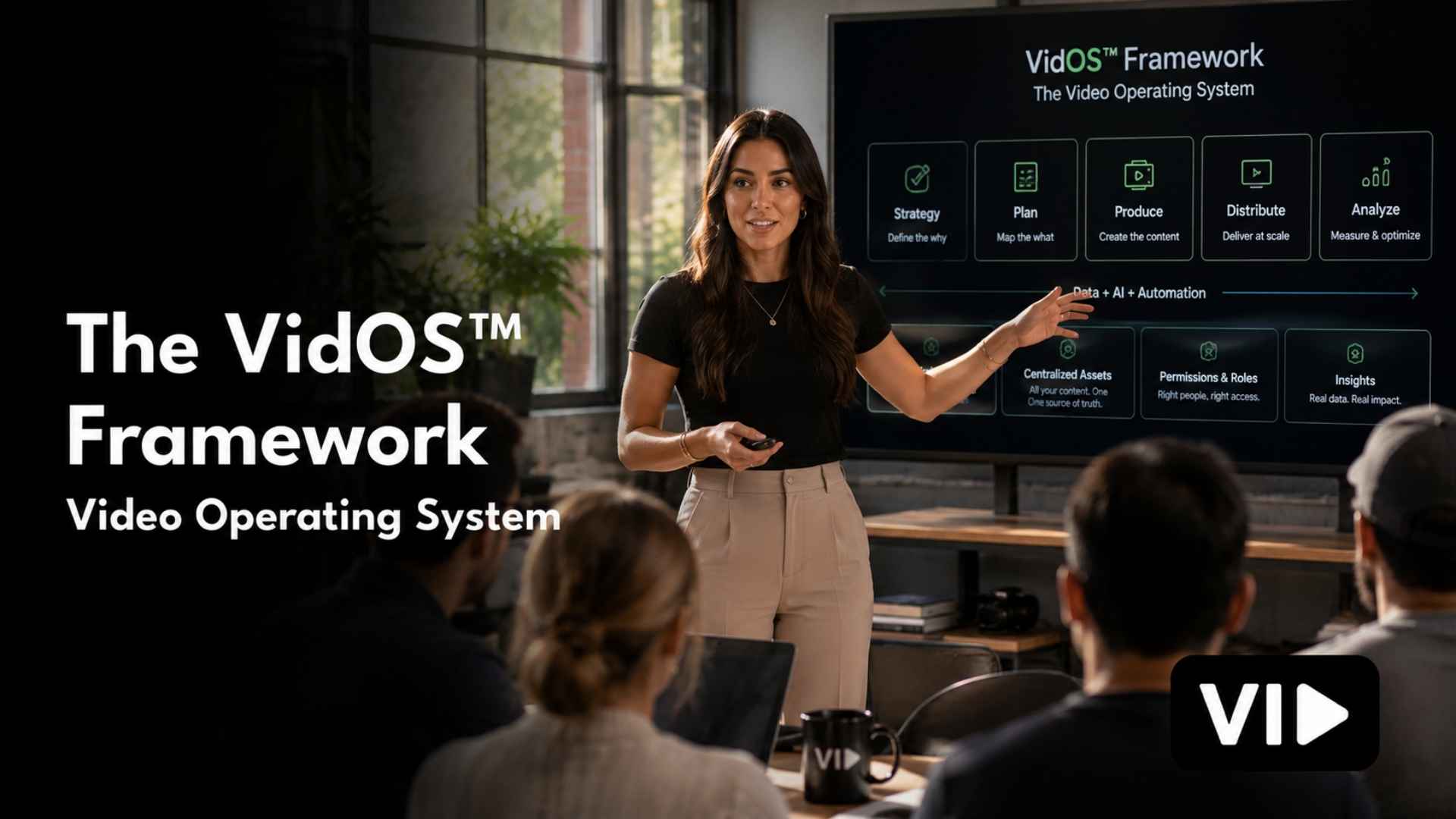
VidOS™ is VID's proprietary Video Operating System framework. It is built on four sequential layers. Each layer must be complete before the next one is built, because each layer depends on the one before it for its functional foundation. And every layer is documented, trained, and handed to your team before the thirty-day engagement ends.
Here is a precise description of what each layer contains, what it produces, and why it exists in the sequence it does.
Layer 1: Strategy
The foundation layer. Defines the system before anything is built.
Strategy is not content planning. It is not a quarterly editorial calendar or a list of video ideas for the next campaign. Strategy, in the VidOS™ framework, is the complete documented foundation that every production decision your team makes for the next twelve months — and beyond — will reference.
The reason Strategy is Layer 1 is not obvious to most marketing teams, because most teams start with production and work backward to strategy when they notice the content isn't performing. This is the most expensive mistake in video marketing. Production without strategy is expensive guessing. Every dollar spent producing video before the strategy layer is built is a dollar that may or may not be aligned to a business outcome — and in the absence of a strategy, you have no systematic way to know which.
What gets built in the Strategy layer:
The Messaging Framework defines the ICP at scripting depth — not a persona document with demographic data, but a precise articulation of the specific person your video is made for, the specific problem they have right now, the language they use to describe that problem, the beliefs they hold that are preventing them from solving it, and the specific outcome they would recognize as success. Every script your team writes for the next twelve months starts from this document. Without it, every writer is making independent interpretations of "who we're talking to" — which produces content that sounds like it's speaking to slightly different people every time, even when the ICP hasn't changed.
The Format Stack defines the two to five recurring video formats your team produces on a consistent cadence. Each format is specified by its purpose in the funnel (awareness, consideration, or decision), its target audience, its structural elements (hook, body, CTA architecture), its optimal length, and its primary distribution channel. The Format Stack is what eliminates the recurring conversation about "what kind of video should we make" — because the answer is already documented. Your team makes the formats in the stack. When a format stops performing, the decision to replace it is a strategic one made with data, not a reactive one made under production pressure.
The Video Channel Blueprint documents where your team shows up with video, why each channel is in the strategy, what role it plays in the buyer journey, and what success looks like in each channel's specific metric set. The Channel Blueprint prevents the pattern of producing content and then deciding where to put it — the distribution equivalent of building a product and then figuring out the go-to-market. Channel is a strategic decision. It determines format length, aspect ratio, SEO requirements, and audience context before a brief is written.
The 90-Day Content Roadmap is the rolling strategic plan that maps what gets produced in what sequence against pipeline goals and buyer journey stages. It is not a rigid schedule — it is updated at the start of every quarter based on performance data from the previous one. The Roadmap is the mechanism that turns the strategic layer into a production plan without requiring a strategic planning meeting every time the content calendar needs updating.
The KPI and Attribution Framework defines every metric the team will track, what each metric is telling you, and how each metric connects to a business outcome. Views connect to awareness. Subscribers connect to audience growth. Cost per MQL connects to funnel efficiency. Pipeline influence connects to revenue. Without this framework, the team tracks whatever the platform dashboard shows by default — which is usually optimized for platform engagement, not for your business outcomes.
The Competitive Content Audit maps what your competitors are producing, where they are showing up, at what frequency, and — critically — where the gaps are in the content landscape that your strategy can own. The audit is not about copying competitors. It is about identifying the specific topic areas and format approaches where your content can achieve category authority because nobody else is currently occupying that ground systematically.
Why Strategy must be Layer 1: Every subsequent layer — the workflow, the performance infrastructure, the deployment — serves the strategy. Workflows built before the strategy is defined serve the wrong process. Performance measurement built before the KPI framework is defined tracks the wrong signals. Deployment that trains the team before the strategy is documented trains them on incomplete information. Strategy first. Everything else follows.
Layer 2: Operations
The workflow layer. Installs the system that makes the strategy executable.
If Strategy defines what your team produces and why, Operations defines how your team produces it — in a workflow that is documented precisely enough that any qualified person can follow it on their first day, and consistently enough that the quality and cadence of output doesn't depend on which specific team member is running production on any given week.
The Operations layer is what makes VidOS™ outlast VID's engagement. When we leave, the system runs because the process lives in the documentation, not in our heads. Every step is written down. Every role is assigned. Every handoff point is defined. Every template is built and explained. This is not administrative overhead — it is the mechanism of independence, and independence is the standard by which the install is measured.
What gets built in the Operations layer:
Script Templates are pre-built structural frameworks for every format in the Format Stack. Each template contains the hook architecture for that format (the structural approach that stops the scroll before the first word is spoken), the body section guidance (what the middle of this format is supposed to accomplish and in what sequence), the CTA structure, and voice and tone notes anchored to the Messaging Framework. A writer filling in a Script Template is making content decisions, not format decisions — which is where creative energy should go.
The Production Workflow is the complete documented process that takes a video from concept to published asset. It specifies: who initiates a production cycle and how, what the brief must contain before a script can be written, who writes the script, who reviews it, what the review criteria are, how production is scheduled, what the filming standard specifies, how the edit is reviewed, what the approval criteria are, who has final sign-off, and what happens between approval and publication. Every step is assigned to a named role, not to a named person. Role-based assignment is what makes the workflow survive personnel changes.
The Production Cadence Calendar is the publishing schedule that treats video output the way a sales team treats pipeline targets — as a commitment, not an aspiration. The cadence calendar specifies what publishes, when, on which channel, in which format, and who owns the delivery of each piece. It is reviewed at the monthly content performance meeting and updated quarterly during the 90-Day Content Roadmap refresh.
The Review and Approval System defines who reviews what, in what sequence, using which tool, with feedback due by what deadline, and with pre-defined criteria for what constitutes approval versus what requires revision. The most common production bottleneck in B2B video programs is an undefined review process — too many reviewers, no sequenced rounds, no criteria for what "approved" means. The Review and Approval System eliminates this bottleneck by making every variable explicit before the first video enters review.
The Content Operations Infrastructure covers asset naming conventions, file storage architecture, version control standards, and the tool configuration that gives every team member instant visibility into the status of every video in production. Nothing lives in an inbox. Nothing lives in someone's personal cloud folder. Every asset is named, versioned, and findable by any team member in under two minutes.
The Filming and Publishing Standard is a documented specification for every technical element of production — camera position, framing, lighting configuration, audio setup, background treatment, caption format, thumbnail standards, and platform-specific export specifications. The Standard is what ensures that a video produced in month twelve looks and sounds like it was produced by the same team as the video in month one. Consistency is a brand signal. The Standard is what maintains it by policy rather than by manual review.
Why Operations must be Layer 2: An operational workflow built before the strategy is defined will be built for the wrong process. A Format Stack that changes after the Script Templates are written requires rebuilding the templates. A Channel Blueprint that changes after the Publishing Standard is set requires updating the export specifications. Strategy defines what Operations serves. Operations cannot be correctly built until Strategy is complete.
Layer 3: Performance
The measurement layer. Connects video activity to pipeline outcomes.
Most video production systems stop at Operations. They define what to produce, build the workflow to produce it, and then measure success by whether the content went out on schedule. That is output measurement. It is useful for managing a production team. It is not sufficient for justifying a video program to a CMO or CFO.
Performance, in the VidOS™ framework, means connecting every video asset your team produces to a specific business outcome — not in theory, but in instrumented fact. It means being able to answer, at any point, the question that determines whether video stays in the budget: is this working, and how do we know?
This is the layer most video programs never build. And its absence is the primary reason video budgets get cut — not because the content was bad, but because nobody could prove it was good in terms that leadership could act on.
What gets built in the Performance layer:
CRM Attribution Integration connects video content engagement to deal records. Every prospect who watches a video, clicks a link embedded in a video email, or engages with a paid video asset has that interaction logged against their CRM record. Over time, this data produces the most important metric in a B2B video program: the close rate and deal cycle length for video-engaged prospects versus non-video-engaged prospects. In most B2B companies that instrument this correctly, video-engaged prospects close at a significantly higher rate and with a meaningfully shorter sales cycle. That finding — documented in your own CRM data — is the budget justification that never needs to be argued.
The UTM and Tracking Framework is the technical infrastructure that makes CRM attribution possible. Every video asset distributed through every channel — email, LinkedIn, YouTube description, paid ad — carries a UTM structure that traces every click back to the specific content that generated it. The framework specifies the UTM taxonomy (source, medium, campaign, content, term) for every distribution context, so the data that lands in analytics and in the CRM is consistent, interpretable, and actionable.
The Performance Dashboard is a single live view that consolidates channel performance, content engagement, production velocity, and pipeline influence into one place — updated automatically, visible to every stakeholder who needs it, and organized around the KPI framework built in the Strategy layer. The dashboard is not a reporting tool. It is a decision-making tool. The questions it should answer in under sixty seconds: Is our publishing cadence holding? Which formats are outperforming? Which channels are generating the most pipeline-connected traffic? What does our video-influenced pipeline look like this month versus last?
The Hook Testing Matrix is the performance infrastructure for paid and organic short-form video — a documented system for testing hook variants, measuring thumb-stop and hook rate against defined benchmarks, rotating winning hooks into the active format stack, and retiring underperformers before they fatigue the audience or waste budget. The Hook Testing Matrix is the mechanism by which the creative testing insights from paid media compound into the organic content strategy — when a hook approach validates in paid, it informs the next organic content sprint.
Format Performance Tracking is the monthly review of every active format in the Format Stack against its defined KPIs. Not a general "how is video performing" review — a format-specific evaluation that produces one of three decisions for each format: scale (it's outperforming, produce more), optimize (it's performing below benchmark, identify the variable to test), or retire (it has consistently underperformed and should be replaced with a new format hypothesis). This review is what keeps the Format Stack current and prevents the team from producing content that stopped working two months ago because nobody had a formal process for identifying it.
The Optimization Loop is the closed feedback cycle that connects Performance data back to Strategy and Operations — the mechanism by which the system gets smarter every month. Winning formats inform the next quarter's Content Roadmap. Underperforming hooks get replaced with new hypotheses in the Hook Testing Matrix. CRM attribution data informs which buyer stages and channels need more content investment. The Optimization Loop is what makes a Video Operating System compound rather than plateau.
Why Performance must be Layer 3: You cannot measure what you haven't defined (Strategy) and haven't built (Operations). The KPI framework comes from Strategy. The asset inventory that gets measured comes from Operations. Performance is the layer that reads the output of the first two layers and feeds the learning back into them. Attempting to build performance measurement before the strategy or workflow is complete produces data without context — metrics that tell you something happened without telling you what it means or what to do about it.
Layer 4: Deployment
The activation layer. Trains the team and puts the system into operation.
Deployment is the layer most agencies and consultants skip or treat as an afterthought. They build the strategy, design the workflow, maybe set up some tracking, and then hand over a folder of documents. The documents contain good thinking. Nobody knows how to implement it. The system never actually runs.
Deployment, in the VidOS™ framework, is the structured process by which the system — built and documented across the first three layers — goes from existing on paper to running in practice. Every team member who touches the video workflow is trained on their specific role. The production environment is configured and documented. The first production cycle runs inside the live system before Day 30, so the team learns the process by doing it while we are still present to correct, adjust, and support.
By the time we hand over the system, it is not new. It is already running.
What gets built in the Deployment layer:
Team Training is role-specific, not generic. The brief writer learns the brief template and the ICP framework. The script writer learns the Script Templates and the voice guidelines. The producer learns the Production Workflow and the Filming Standard. The editor learns the post-production process and the Publishing Standard. The performance analyst learns the Dashboard and the Format Performance Tracking review process. Everyone learns only what they need to know to execute their role — which makes the training faster, the retention higher, and the adoption more complete than a general "here's how the system works" session.
The Filming Standard Documentation is a physical or digital reference guide — with photographs, diagrams, and setup checklists — that specifies exactly how to configure the production environment for every format in the Format Stack. The guide is specific enough that a team member who has never operated a camera before can set up the studio to specification in under twenty minutes. This document is the mechanism that maintains production quality across personnel changes and across time.
The Three Foundational Assets are the first video deliverables produced inside the live VidOS™ system — not produced separately and added to the system after the fact, but produced through the system as a proof of operation. The three assets are selected in Week 1 based on the pipeline priorities and content gaps identified in the Strategy layer. Typically they include one Awareness-stage format (a thought leadership or educational piece), one Consideration-stage format (a methodology or framework explainer), and one Decision-stage format (a customer story or product walkthrough). By publishing these three assets before Day 30, the team has demonstrated — to themselves and to leadership — that the system produces, not just documents.
The Handover Session is a structured sixty-minute review on or before Day 30 that confirms every system component is operational: every workflow step is understood and followed, every team member is confident in their role, every tracking connection is live, and every deliverable agreed at the start of the engagement has been produced and published. The Handover is not a ceremony. It is a confirmation of independence. If anything is not working at the Handover — any single component, for any reason — VID keeps working at zero additional cost until it is.
Why Deployment must be Layer 4: A system that exists only in documentation is not a system — it is a plan. Deployment is what turns the plan into a running operation. It cannot happen before the system is fully designed (Strategy), fully built (Operations), and fully instrumented (Performance). Attempting to deploy a partially built system trains people on incomplete processes and creates the false confidence that the system is running when it isn't. Layer 4 is last because it activates everything that came before it. When Layer 4 is complete, the system runs. VID leaves. The capability stays.
The Compounding Loop: Why the Four Layers Form a Closed System
The four layers of VidOS™ are not four independent modules. They are a closed loop — each layer feeds the next, and the output of Layer 4 feeds back into Layer 1.
Strategy defines what Operations produces. Operations creates what Performance measures. Performance generates the data that Deployment trains against and that informs the next iteration of Strategy.
This loop is what makes a Video Operating System compound rather than plateau.
In the first quarter, Strategy is fresh and partially informed by assumptions. Performance data is thin. The Format Stack is a hypothesis. By the end of the second quarter, real performance data has informed the 90-Day Content Roadmap update. Underperforming formats have been replaced or optimized. Winning hooks from the paid creative testing cycle have influenced the organic content strategy. The CRM attribution data is beginning to show which content touchpoints are appearing most frequently in closed-won deals.
By the end of the fourth quarter, the Video Operating System has been through four performance review cycles. The Format Stack reflects what actually works for your ICP, not what seemed like it should work. The Messaging Framework has been refined based on the language patterns that produce the highest engagement. The Channel Blueprint has been adjusted based on where pipeline-connected traffic is actually coming from. The system is materially smarter than it was on Day 30 — not because the people running it got smarter, but because the system has been designed to learn.
This is the compounding advantage that a Video Operating System produces that no project, no retainer, and no one-off production can replicate. Projects deliver deliverables. An operating system builds compounding capability.
Who a Video Operating System Is Built For
VidOS™ is not the right solution for every company. It is the right solution for a specific situation — and being direct about what that situation is protects both the company evaluating it and the team installing it from the misalignment that produces disappointing outcomes.
VidOS™ is built for teams that:
Have a defined ICP and a sales process — video infrastructure amplifies a working go-to-market. It does not substitute for one. If you are still discovering your market, you need product-market fit before you need a Video Operating System.
Have at least three people on the marketing team — the system requires roles to distribute the workflow across. A solo marketer cannot run a complete Video Operating System without contracting the roles they don't fill internally.
Produce $5M or more in revenue — not because the system is inaccessible below that threshold, but because below it the production capacity and budget discipline required to run VidOS™ effectively are rarely in place.
Are experiencing the reset pattern — trying video, gaining momentum, losing it, and starting over. VidOS™ is specifically engineered to break this pattern by addressing its structural causes.
Are ready to treat video as a function, not a project — the most important qualification. Teams that want to commission video and have it managed for them are better served by a production retainer. Teams that want to own the capability permanently — and want the system that makes owning it viable — are the teams VidOS™ is built for.
VidOS™ is not built for teams that:
Want deliverables without process transfer. The Install produces three foundational assets, but the assets are not the product. The system is.
Don't have the internal capacity to run a workflow. If there is no one who can own the brief process, the production cadence, and the performance review, the system has no operator after we leave.
Are looking for a short-term content volume fix. VidOS™ is a thirty-day infrastructure engagement with permanent operational outcomes. It is not a content sprint.
How to Evaluate Whether Your Team Needs a Video Operating System
The fastest diagnostic is a set of four questions. If the answer to any of them is no, your team does not have a Video Operating System — and the absence of one is the structural reason your video program is not performing the way you believe it should.
Can any qualified team member produce a video from brief to publish without asking anyone how to do it?
If the workflow requires tribal knowledge — informal instructions passed person-to-person — you don't have a workflow. You have a practice. Practices do not survive personnel changes.
Does every video your team produces start from a documented brief that traces back to a strategic priority?
If videos are initiated by request, by campaign need, or by someone having a good idea — rather than by a strategic framework — your production is reactive, not systematic. Reactive production cannot compound.
Can you look at your CRM today and tell which prospects have engaged with video content and what effect that engagement has had on their deal velocity?
If the answer is no, your video program is disconnected from revenue. Disconnected programs are the first thing cut when budgets tighten — and the last thing rebuilt when they recover.
If the person who currently runs your video production left tomorrow, would the program continue without interruption?
If not, your video capability lives in a person, not in a system. That is a single point of failure. It is the definition of fragile infrastructure.
A Video Operating System exists specifically so that every one of these questions has a clear, confident answer. Not eventually. By Day 30.
Frequently Asked Questions
What is a Video Operating System?
A Video Operating System is the complete, documented, trained operational infrastructure that allows a marketing team to produce consistent, pipeline-connected video without depending on any single vendor, employee, or quarterly reset. It covers four layers: Strategy (what to produce and why), Operations (how to produce it consistently), Performance (how to connect it to pipeline), and Deployment (how to train the team and activate the system). Unlike a content calendar, a production retainer, or a video strategy document, a Video Operating System produces permanent operational capability — not a plan, not a deliverable, but a running system your team owns.
What is the difference between a video strategy and a video operating system?
A video strategy defines what your team produces — the formats, the audiences, the channels, the goals. A video operating system defines how your team produces it, how the production is measured, and how the system trains and sustains itself over time. Strategy is the decision layer. An operating system is the execution layer. Most B2B marketing teams have some version of a video strategy. Almost none have an operating system. The absence of the operating system is why most video strategies never fully execute.
How long does it take to install a Video Operating System?
VidOS™ is installed in thirty days. Week 1 covers Strategy — messaging framework, format stack, content roadmap, KPI framework. Weeks 1 and 2 cover Operations — script templates, production workflow, cadence calendar, review system, filming standard. Weeks 1 and 2 also cover Performance — CRM integration, UTM framework, live dashboard. Weeks 2 through 4 cover Deployment — team training, three foundational asset production, handover session. The thirty-day timeline is not a compression of a longer process. It is a disciplined engagement design that produces a running system, not a documented plan.
What happens after the Video Operating System is installed?
After the thirty-day Install, your team runs the system. VID offers an Operator engagement for teams that want ongoing strategic and operational support — monthly performance reviews, quarterly strategy updates, ongoing content production — but the Install is specifically designed to produce independence, not dependency. Your team owns the system. It runs without us. If you choose to continue with VID in an Operator capacity, you are working with a team that knows your system in full — not onboarding a new vendor.
How is a Video Operating System different from hiring a video production agency?
An agency produces deliverables. A Video Operating System produces capability. When an agency engagement ends, you have the videos they made. When a VidOS™ Install ends, you have the infrastructure to make videos — consistently, independently, and with compounding improvement — for as long as your team operates. The production cost of running the system internally, once installed, is a fraction of an ongoing agency retainer. And the strategic output — a content library that compounds in search, authority, and pipeline influence over time — is one that a project-based agency relationship structurally cannot produce.
What does a Video Operating System cost?
The VID Install engagement — which delivers the complete four-layer VidOS™ framework — is priced at $12,500 to $15,000 as a one-time investment. For comparison: a mid-tier agency retainer for comparable output runs $3,000 to $20,000 per month with no capability transfer, no performance infrastructure, and no independence after the engagement ends. An in-house video hire costs $85,000 to $130,000 per year in salary alone, without the system documentation, the performance framework, or the strategic layer. A Video Operating System is the only engagement model in the category that produces permanent capability — at a one-time cost — that compounds from Day 30 forward.
The Operating System Analogy, Revisited
When Apple shipped the first Macintosh in 1984, the breakthrough was not the hardware. Comparable computing power existed. The breakthrough was the operating system — the stable, standardized infrastructure layer that made it possible for any developer to build any application without having to rebuild the foundational environment from scratch every time.

The applications on the Mac got better every year. Not because the hardware changed dramatically. Because the operating system underneath them was stable enough to compound — stable enough that every improvement built on every previous improvement rather than starting over.
Your video program can work the same way.
The individual videos get better every quarter — not because you hired better talent, but because the Strategy layer is updated with real performance data. Not because you found a better agency, but because the Operations layer has accumulated the institutional knowledge of every production cycle that came before it. Not because you got lucky with a campaign, but because the Performance layer has been connecting creative decisions to pipeline outcomes long enough that the pattern is clear and the next brief is smarter for it.
That is what a Video Operating System builds. Not better videos. A better system for producing videos — one that improves every cycle, outlasts every personnel change, and compounds every production investment into a growing, measurable, permanently owned business asset.
Four layers. Thirty days. One system your team owns permanently.
That is VidOS™.
VID installs Video Operating Systems inside B2B marketing teams in 30 days. If you're ready to build the infrastructure that makes your video program compound instead of reset, apply for a VID Install at vid.co/install.